Vee Techno Electronics – TV Repair Service Hyderabad

tv repair in hyderabad

Hyderabad tv repair, LED TV Repair Hyderabad, smart tv repair hyderabad, tv repair in hyderabad

TV Showing “No Signal” on HDMI?

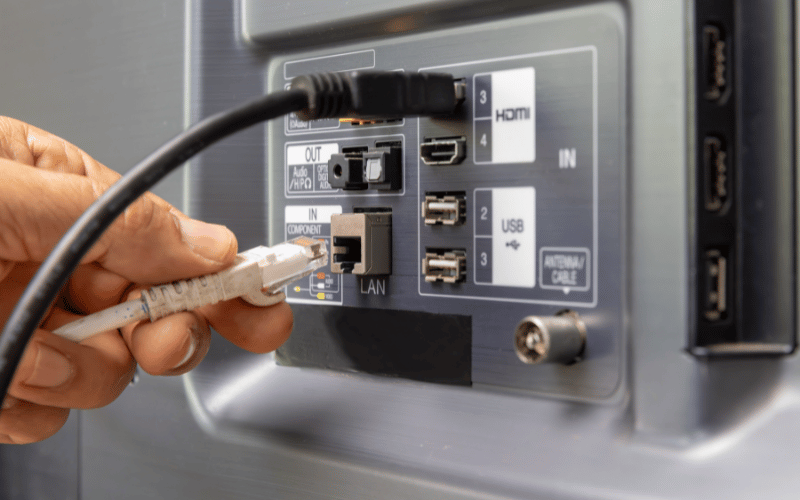
TV Showing “No Signal” on HDMI? How to Tell if the HDMI Port Is Damaged Quick Answer If your TV shows “No Signal” even though the HDMI cable is connected properly, the issue may be caused by a damaged HDMI port, faulty HDMI controller IC, motherboard communication failure, or defective cable/device connection. Why TVs Suddenly Show “No Signal” One of the most common Smart TV complaints is: “HDMI not working on TV” “TV says no signal” “PS5 not connecting to TV” “set-top box showing no signal” “HDMI port stopped working” This issue affects: Samsung TVs Sony TVs LG TVs OnePlus TVs MI TVs Android Smart TVs What the Problem Usually Looks Like Common symptoms: screen displays “No Signal” HDMI device not detected intermittent picture flickering gaming console disconnects randomly sound works but no picture one HDMI port works while others fail Many Hyderabad customers notice this after: reconnecting cables frequently shifting TV setup thunderstorms or voltage fluctuations First Check the HDMI Cable Before assuming TV damage: test another HDMI cable use a certified high-speed cable avoid loose or bent connectors Cheap HDMI cables frequently fail internally. Test Another HDMI Port Try: HDMI 1 HDMI 2 HDMI 3 Important clue: If only one port fails: physical port damage is likely If ALL HDMI ports fail: motherboard IC damage is more likely Test Another Device Connect: PlayStation Xbox Tata Play Airtel DTH laptop streaming device This helps isolate whether: the TV is faultyOR the external device is faulty One Major Cause: Hot-Plugging HDMI Cables Many people unplug and reconnect HDMI cables while the TV is powered ON. This is called: hot-plugging Small static voltage spikes can damage: HDMI controller IC motherboard signal lines input protection circuits We frequently see this issue in: gaming setups frequently moved TVs TVs with multiple daily cable swaps Hyderabad Voltage Fluctuations Also Contribute In Hyderabad homes, repeated: inverter switching unstable grounding sudden power restoration can weaken HDMI circuitry over time. This is especially common in: apartment buildings older electrical wiring setups Signs the HDMI Port Is Physically Damaged Common symptoms: HDMI cable feels loose picture appears only at certain angles sparks while connecting cable port bent inward one port stopped suddenly after reconnecting cable This usually means: broken solder joints damaged port pins cracked motherboard connector area Signs the HDMI IC Chip Is Failing Common symptoms: all HDMI ports stopped together no device detected at all random signal dropouts screen flickers intermittently TV reboots when HDMI connected These usually indicate: HDMI controller IC failure motherboard communication issue power regulation instability Can This HDMI Problem Be Repaired? Problem Repairable? Loose HDMI port Yes HDMI solder damage Yes HDMI IC chip failure Usually Yes Motherboard signal issue Usually Yes Cracked display panel No Technician Insight Many local technicians immediately suggest: “Motherboard fully damaged.” But in many TVs: only the HDMI IC fails solder joints crack port pins loosen Chip-level repair can often restore functionality at lower cost. Important Warning Avoid: forcing tight HDMI cables connecting cables during thunderstorms frequent hot-plugging while TV is ON using extremely cheap HDMI splitters These commonly damage HDMI circuitry. How to Reduce Future HDMI Problems Recommended practices: switch OFF TV before reconnecting HDMI use surge protection avoid excessive cable bending use quality HDMI cables support heavy HDMI adapters properly FAQs Why does my TV say “No Signal” even though HDMI is connected? Usually because of cable failure, damaged HDMI port, or motherboard IC issues. Can HDMI ports be repaired? Yes. Physical ports can often be replaced without changing the motherboard. Why did all HDMI ports stop working together? This usually indicates HDMI controller IC failure. Can voltage fluctuations damage HDMI ports? Yes. Sudden spikes can damage sensitive HDMI circuits. Is motherboard replacement always necessary? No. Many HDMI issues are repairable at chip level. If your TV shows “No Signal” despite proper HDMI connection, professional TV repair in Hyderabad can diagnose whether the issue is caused by cable failure, HDMI port damage, controller IC faults, or motherboard-related signal problems before recommending expensive replacement.  

OnePlus TV repair in Hyderabad, tv repair in hyderabad

OnePlus TV Stuck on Logo or Android Loading Screen? Fix Boot Loop Issues in Hyderabad

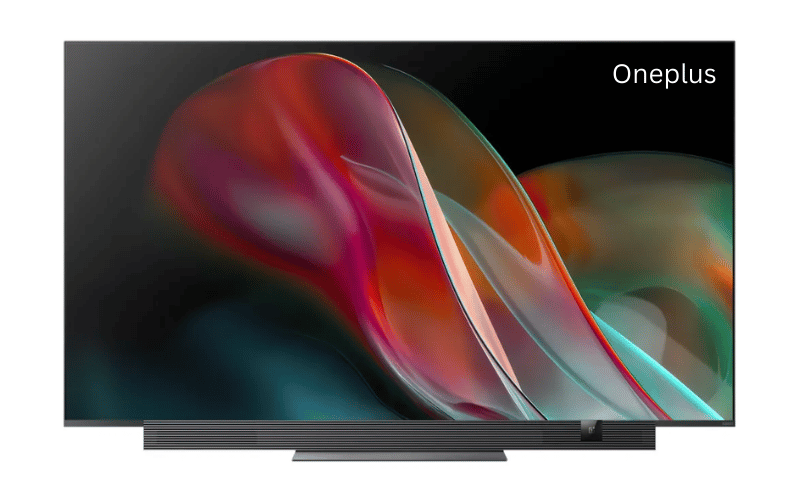
OnePlus TV Stuck on Logo or Android Loading Screen? Fix Boot Loop Issues in Hyderabad Quick Answer If your OnePlus TV is stuck on the logo or Android loading screen, the issue is usually caused by corrupted firmware, failed OTA updates, motherboard storage failure (eMMC), or unstable power interruptions during startup. OnePlus TVs Are Smart — But Android Problems Are Common OnePlus Smart TVs run on Android TV, which provides: app support Google services voice control streaming features But just like Android smartphones, they can develop: software corruption storage failures startup loops Common searches include: “OnePlus TV stuck on logo” “OnePlus TV boot loop” “Android TV not starting” “OnePlus TV frozen on startup” “TV restarting continuously” What a OnePlus TV Boot Loop Looks Like Common symptoms: OnePlus logo appears endlessly Android dots keep loading forever TV restarts repeatedly screen freezes during startup remote stops responding TV never reaches home screen Sometimes the TV may: start normally occasionally freeze after warming up restart while opening apps Most Common Cause: Corrupted OTA Update OnePlus TVs frequently install: background firmware updates Android security patches app updates automatically If: WiFi disconnects power cuts occur inverter switches suddenly during installation, system files may become corrupted. This prevents Android from loading correctly. Hyderabad Power Fluctuations Make This Worse In Hyderabad homes, we commonly notice: unstable apartment power supply inverter voltage fluctuation sudden nighttime power restoration These interruptions often damage Android startup processes. This issue becomes especially common during: monsoon season summer current overloads inverter switching cycles Another Major Cause: eMMC Storage Failure Inside the motherboard is an internal storage chip called: eMMC memory This chip stores: Android operating system startup files apps cache data After years of continuous heat and usage: memory sectors degrade startup files become unreadable TV enters permanent boot loop We frequently see this in: OnePlus Android TVs heavily used Smart TVs TVs with full internal storage First Things You Should Try 1. Perform a Hard Power Reset Unplug the TV completely for: 15 minutes Then: hold the TV’s physical power button for 30 seconds reconnect power restart the TV Sometimes this clears temporary startup corruption. 2. Disconnect External Devices Remove: USB drives gaming consoles soundbars HDMI devices Faulty connected devices can occasionally interfere with startup. 3. Free Storage (If TV Opens Occasionally) If the TV opens temporarily: uninstall unused apps clear cache remove unnecessary downloads Storage overload can destabilize Android performance. Signs Your OnePlus TV Needs Motherboard Repair Hardware-related symptoms: restart loop continues after reset TV freezes randomly WiFi stops working apps crash repeatedly overheating near motherboard area TV slows down significantly These usually indicate: motherboard instability storage chip degradation power IC failure Can This OnePlus TV Problem Be Repaired? Problem Repairable? Firmware corruption Yes Android boot loop Yes eMMC storage issue Usually Yes Motherboard overheating Yes Cracked display panel No Approximate OnePlus TV Repair Cost in Hyderabad Repair Type Estimated Cost Software reinstall ₹1500 – ₹3000 Firmware flashing ₹1800 – ₹3500 eMMC repair/replacement ₹3500 – ₹7000 Motherboard repair ₹3000 – ₹8000 Technician Insight Many customers assume: “TV software issue only.” But repeated restart loops often indicate: failing internal storage motherboard voltage instability overheating ICs A proper diagnosis helps avoid unnecessary full board replacement. Important Warning Avoid: repeatedly unplugging power forcing startup continuously installing unofficial firmware files factory resetting multiple times This can worsen motherboard corruption. How to Reduce Future Android TV Problems Recommended practices: keep internal storage free avoid sudden power interruptions use voltage stabilizer update firmware only on stable WiFi avoid overheating inside enclosed cabinets FAQs Why is my OnePlus TV stuck on the logo? Usually because Android system files failed to load properly. Can a OnePlus TV boot loop be repaired? Yes. Most startup-loop issues are repairable. What is eMMC failure in Smart TVs? It is internal storage chip damage that prevents Android from booting. Is motherboard replacement always necessary? No. Many issues can be repaired at chip level. How long does OnePlus TV repair take? Typically 1–3 days depending on spare availability and damage severity. If your OnePlus TV is frozen on the startup screen or restarting repeatedly, professional OnePlus TV repair in Hyderabad can diagnose whether the issue is caused by firmware corruption, eMMC storage failure, overheating, or motherboard damage before recommending replacement.

Hyderabad tv repair, LED TV Repair Hyderabad, LG TV Repair in Hyderabad, tv repair in hyderabad

LG OLED Burn-In Explained: Can Ghost Images Be Fixed?

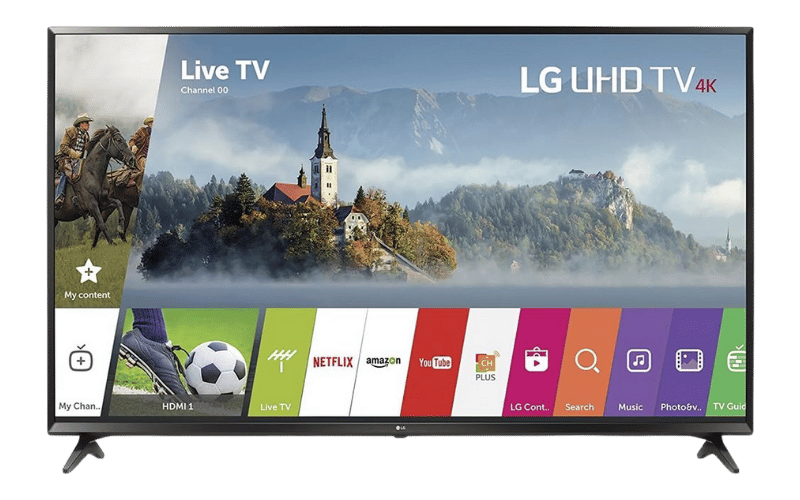
LG OLED Burn-In Explained: Can Ghost Images Be Fixed? Quick Answer If your LG OLED TV shows permanent logos, shadow images, or ghost-like marks even after changing channels, the issue is likely OLED burn-in. Temporary image retention may disappear after Pixel Cleaning, but permanent burn-in usually requires panel replacement. Why LG OLED TVs Sometimes Develop Ghost Images LG OLED TVs are famous for: perfect black levels cinematic contrast premium picture quality But unlike regular LED TVs, OLED panels use self-lit organic pixels. Over time, these pixels wear unevenly. That’s when users begin searching: “LG OLED logo stuck on screen” “ghost image on LG TV” “burn-in on OLED TV” “news channel shadow on TV” Burn-In vs Image Retention — Important Difference Many people confuse temporary image retention with permanent burn-in. Temporary Image Retention faint shadow visible temporarily disappears after some time common after long gaming or static images usually reversible Permanent OLED Burn-In logo permanently visible shadow remains on all channels visible even on gray backgrounds physical pixel wear has occurred What Causes OLED Burn-In? Burn-in happens when the same area of the screen displays static content for long periods. Common causes: news channel logos gaming HUDs YouTube interface sports scoreboards stock market tickers Over thousands of hours:certain pixels degrade faster than others. We Commonly See This in Hyderabad Homes In Hyderabad, many OLED TVs are used: continuously for news channels for long gaming sessions in commercial spaces with maximum brightness enabled Heat and continuous static content accelerate OLED wear. First Try LG Pixel Cleaning LG includes a built-in protection feature called: Pixel Refresher Pixel Cleaning Go to: Settings → Picture → OLED Panel Care → Pixel Cleaning The TV will: shut down temporarily recalibrate pixels attempt brightness balancing This process may take: 1 hour or more When Pixel Cleaning Works Pixel Cleaning may help if: issue appeared recently shadows are faint image retention is temporary When Pixel Cleaning Will NOT Help If: logos remain permanently shadows are visible on every screen ghost image appears constantly then the OLED pixels are physically degraded. At that stage:the panel itself is damaged. Signs of Permanent OLED Burn-In Common symptoms: news channel logo permanently visible game HUD outline remains faint red/green shadows uneven gray screen darker sections on display Can OLED Burn-In Be Repaired? Problem Repairable? Temporary image retention Yes Mild retention Sometimes Permanent OLED burn-in Usually No OLED panel replacement Yes Approximate LG OLED Repair Cost in Hyderabad Repair Type Estimated Cost Pixel Cleaning service ₹1000 – ₹2500 Motherboard diagnostics ₹1500 – ₹3500 OLED panel replacement Depends on model OLED panel replacements are expensive because the panel itself is the most costly component of the TV. Technician Insight Many customers continue using: maximum OLED brightness static news channels paused gaming screens for extended periods. This dramatically increases burn-in risk. We recommend: enabling screen shift using logo brightness reduction lowering peak brightness slightly for long-term OLED health. How to Prevent OLED Burn-In Best practices: avoid static content for many hours use screen saver features reduce brightness in dark rooms avoid pausing games for long periods run Pixel Cleaning periodically Important Warning Avoid: fake “burn-in remover” videos pressure methods heat-based DIY fixes These cannot repair physically worn OLED pixels. FAQs Can OLED burn-in be fixed completely? Permanent burn-in usually cannot be reversed without panel replacement. What is the difference between burn-in and image retention? Image retention is temporary. Burn-in is permanent pixel damage. Does Pixel Cleaning actually work? Yes, for temporary retention and mild unevenness. Are LG OLED TVs still worth buying? Yes. OLED picture quality remains among the best available. Is burn-in common in OLED TVs? It mainly occurs with prolonged static content usage over several years. If your LG OLED TV has ghost images, logo shadows, or permanent retention, professional LG TV repair in Hyderabad can help determine whether the issue is temporary image retention, motherboard-related display problems, or irreversible OLED panel burn-in.  

Hyderabad tv repair, LED TV Repair Hyderabad, Samsung TV Repair, tv repair in hyderabad

White Spots on Samsung TV Screen? Here’s the Real Reason It Happens

White Spots on Samsung TV Screen? Here’s the Real Reason It Happens Quick Answer White spots on a Samsung TV are usually caused by detached LED reflector lenses inside the panel. Heat weakens the adhesive holding these lenses, causing bright white circles or dots to appear on the screen. Why White Dots Appear on Samsung TVs A very common search we hear from customers is: “white circles on Samsung TV” “bright spots on TV screen” “white dots appearing on LED TV” “TV has flashlight spots” This issue is extremely common in LED TVs after years of continuous use. What Causes White Spots? Inside your TV panel: LED lights sit behind the display each LED has a reflector lens these lenses spread brightness evenly Over time: heat melts the glue lenses fall off direct LED light shines through the screen That creates: bright white circles flashlight-like spots uneven brightness patches Why This Happens Frequently in Hyderabad Many Hyderabad households keep TVs running: 8–12 hours daily in enclosed wall units without proper airflow Continuous heat buildup accelerates reflector damage. We especially notice this in: Samsung LED TVs budget Smart TVs heavily used living room TVs Can You Fix White Spots at Home? Technically yes — but it’s risky. The repair requires: complete LCD panel dismantling precision handling dust-free alignment proper LED testing One small mistake can permanently crack the display panel. Signs You Need LED Backlight Service Common symptoms: perfectly round white circles bright patches during sports scenes uneven screen brightness flashlight effect on white backgrounds Can This Problem Be Repaired? Issue Repairable? Fallen reflector lenses Yes LED strip failure Yes Uneven backlight Yes Cracked LCD panel Usually No Approximate Repair Cost in Hyderabad Repair Type Estimated Cost Reflector reinstallation ₹1800 – ₹3500 LED strip replacement ₹2200 – ₹5000 Full panel replacement Depends on model Technician Insight In many Samsung TVs, temporary local glue fixes fail again within months. Professional repair involves: heat-resistant bonding LED testing proper diffuser alignment FAQs Why are white spots visible mostly on bright scenes? Because the exposed LED becomes more visible against lighter backgrounds. Is this a software issue? No. White spots are physical hardware defects inside the panel. Can the TV still be used? Yes, but the issue usually worsens over time. Are white spots common in Samsung TVs? Yes. Especially in older LED TVs with heavy daily usage. Can LED strips also be damaged? Yes. Many TVs with white spots also have weakening backlights. If your Samsung TV has bright white dots or uneven lighting, professional LED TV repair in Hyderabad can restore proper screen uniformity without risking panel damage.

Hyderabad tv repair, LED TV Repair Hyderabad, Samsung TV Repair, tv repair in hyderabad

Sony TV Not Turning On? No Red Light, No Power — Causes & Repair in Hyderabad

Sony TV Not Turning On? No Red Light, No Power — Causes & Repair in Hyderabad Quick Answer If your Sony TV is completely dead with no red standby light, the issue is usually caused by a damaged power supply board, blown fuse, motherboard short circuit, or voltage surge damage. In many cases, the TV can still be repaired without replacing the full panel. Sony TV Completely Dead? Here’s What Usually Happens One of the most stressful TV problems is when: the screen stays black no Sony logo appears no standby light turns on remote does nothing TV feels completely dead Many Hyderabad customers assume: “TV totally gone.” But in reality, most no-power Sony TV problems are repairable. First Check These Simple Things Before assuming internal damage, test these basics. 1. Check the Wall Socket Plug: a mobile charger fan or lamp into the same outlet. Power fluctuations are very common in Hyderabad apartments, especially during summer AC loads and inverter switching. 2. Inspect the Power Cable A loose or damaged power cord can stop the TV from receiving electricity. Check: loose connection behind TV bent cable burn smell near adapter or socket 3. Try a Hard Power Reset Unplug the TV completely for: 10–15 minutes Then: hold the TV’s physical power button for 30 seconds reconnect power attempt startup again If still completely dead, internal hardware is likely damaged. The Most Common Cause: Power Supply Board Failure In many Sony Smart TVs, the SMPS (power supply board) gets damaged due to: sudden voltage spikes lightning/power surge overheating capacitor aging inverter fluctuations This is especially common during: rainy season sudden current cuts generator switching in Hyderabad residential areas. Signs Your Sony TV Has Power Board Damage Common symptoms: no red standby light clicking sound but no startup TV dead after power cut burnt smell from backside TV stopped working suddenly overnight Our technicians frequently see this in: Sony Bravia LED TVs older Android Sony TVs 43-inch to 65-inch models What Happens Inside the TV? The power supply board converts high voltage into controlled power for: motherboard display audio WiFi module LED backlights When: capacitors swell fuse blows MOSFET fails voltage IC burns the TV receives no usable power. Result:completely dead TV. Can This Sony TV Problem Be Repaired? Problem Repairable? Blown fuse Yes Power supply board failure Yes Capacitor damage Yes Motherboard short Usually Yes Cracked panel No Approximate Sony TV Repair Cost in Hyderabad Issue Estimated Cost Power board repair ₹1800 – ₹4500 Capacitor replacement ₹1200 – ₹2500 Motherboard repair ₹3000 – ₹7000 Full board replacement Depends on model Important Warning Avoid repeatedly pressing the power button when: TV clicks repeatedly power fluctuates standby light blinks abnormally This can overload damaged circuits further. Technician Insight From Hyderabad Repairs We commonly notice: surge damage from low-quality extension boards overheating from tightly enclosed wall units inverter output instability damaging Sony power boards Using a quality voltage stabilizer significantly reduces future failures. Difference Between “No Power” and “Blinking Red Light” No Light at All Usually: power board issue fuse issue major motherboard short Blinking Red Light Usually: internal protection mode panel issue backlight fault overheating detection These are different problems and require different diagnosis methods. FAQs Why is my Sony TV completely dead? Usually because the power supply board stopped delivering power internally. Can a dead Sony TV be repaired? Yes. Most no-power issues are repairable without replacing the screen. Why did my Sony TV stop working after a power cut? Voltage spikes during power restoration commonly damage the SMPS board. How long does Sony TV power repair take? Most repairs are completed within 1–2 days depending on spare availability. Is motherboard replacement always necessary? No. Many boards can be repaired at chip level instead of full replacement. If your Sony TV has no standby light and refuses to turn on, professional Sony TV repair in Hyderabad can diagnose whether the issue is with the power board, motherboard, or surge-damaged components before recommending expensive replacements.  

Hyderabad tv repair, LED TV Repair Hyderabad, Samsung TV Repair, tv repair in hyderabad

Samsung TV Screen Keeps Going Dark? Causes, Fixes & Repair Cost in Hyderabad

Samsung TV Screen Keeps Going Dark? Causes, Fixes & Repair Cost in Hyderabad Quick Answer If your Samsung TV screen suddenly becomes dark or keeps dimming automatically, the problem is usually caused by either Eco Mode settings or failing LED backlights. If the screen becomes darker on one side or brightness fluctuates randomly, the LED strips or LED driver board may need repair. Why Samsung TVs Suddenly Become Dim One of the most common complaints we receive from Hyderabad customers is: “Samsung TV brightness keeps changing” “Samsung TV screen became dark suddenly” “Half screen darker than other side” “Samsung TV automatically dimming” In many Hyderabad apartments, voltage fluctuations and heavy daily usage accelerate LED wear, especially in Samsung Crystal UHD and older Smart TV models. First Check: Samsung Eco Mode Settings Before assuming hardware damage, check whether your TV is automatically adjusting brightness. Go to: Settings → General → Eco Solution → Ambient Light Detection Turn OFF: Ambient Light Detection Brightness Optimization Energy Saving Mode Many users mistake this feature for a screen defect. Signs Your Samsung TV Has a Hardware Problem If Eco Mode is already disabled and the issue continues, your TV likely has failing LED backlights. Common symptoms: Screen becomes dark after 10–20 minutes Half screen looks dim Brightness flickers randomly Audio works but picture becomes very dark TV heats up near the bottom panel Our technicians frequently see this issue in: Samsung Crystal 4K series Samsung AU7700 Samsung TU series TVs Especially after 2–3 years of heavy daily use. What Actually Fails Inside the TV? Behind the display panel are multiple LED strips that provide brightness. Over time: LEDs weaken from heat diffuser lenses burn LED driver IC overheats power delivery becomes unstable This causes the TV to reduce brightness automatically to protect the motherboard. Can This Samsung TV Problem Be Repaired? Problem Repairable? Auto brightness issue Yes Half screen dark Yes LED backlight failure Yes Motherboard dimming issue Yes Cracked screen Usually No Approximate Samsung TV Repair Cost in Hyderabad Issue Estimated Cost LED backlight replacement ₹1800 – ₹4500 LED driver repair ₹1500 – ₹3500 Motherboard repair ₹2500 – ₹6000 Costs depend on: screen size model series panel condition Important Warning Do NOT continue using the TV if: brightness fluctuates heavily screen becomes extremely hot half display turns black This can overload the power board and damage additional components. Why Hyderabad Homes Commonly Face This Issue In Hyderabad, we frequently notice: inverter switching fluctuations unstable apartment power supply poor ventilation around wall-mounted TVs These conditions speed up LED deterioration. FAQs Why does my Samsung TV become dark suddenly? Usually due to Eco Mode settings or failing LED backlights. Can LED backlights be replaced? Yes. In most cases, LED strips can be replaced without changing the entire panel. Why is one side of my Samsung TV darker? This usually means a section of the LED strip has failed. How long does Samsung LED backlight repair take? Most repairs are completed within 1 day depending on spare availability. Is this issue common in Samsung Smart TVs? Yes. We frequently see this in Crystal UHD and older Samsung LED models. For professional diagnosis and doorstep Samsung TV repair in Hyderabad, our technicians handle LED backlight, motherboard, and display-related issues across all Samsung Smart TV models.

Technician running a dead pixel test on a second-hand television to prevent future Led TV repair in Hyderabad.
tv repair in hyderabad

Buying a Second-Hand Smart TV? 5 Hardware Checks You Must Do

Buying a Second-Hand Smart TV? 5 Hardware Checks You Must Do Smart Shopping for Used Screens Buying a second-hand OLED or LED TV can save you thousands of rupees. However, if you don’t know what to look for, you might end up inheriting someone else’s expensive hardware problem. The Ultimate Used TV Checklist The Pure Color Test: Go to YouTube and search for “Dead Pixel Test.” Watch the screen turn pure red, green, blue, and white. Look closely for tiny black dots (dead pixels) or permanent ghostly images (burn-in). Port Inspection: Bring a laptop and plug it into every HDMI port. A broken HDMI port requires a complex motherboard repair. The Flashlight Test: Tap the screen lightly; ensure the backlight is uniform and there are no dark shadows in the corners. Wi-Fi Check: Ensure the TV connects to a mobile hotspot without dropping. If you already bought a used TV and discovered a hidden flaw, don’t worry. From panel fixes to port replacements, we offer comprehensive Tv repair in hyderabad to restore your second-hand purchase to its former glory.

Smartphone failing to cast to a Smart TV due to Wi-Fi connection issues, diagnosed by LED TV repair services in Hyderabad.
android tv repair in hyderabad, Haier TV repair in Hyderabad, Hyderabad tv repair, LED TV Repair Hyderabad, LG TV Repair in Hyderabad, MI TV Repaiar, OnePlus TV repair in Hyderabad, Philips tv repair in hyderabad, Samsung TV Repair, smart tv repair hyderabad, Sony TV Repair in Hyderabad, tv motherboard repair in hyderabad, tv repair in hyderabad

Screen Mirroring and Chromecast Not Working on Your Smart TV?

Screen Mirroring and Chromecast Not Working on Your Smart TV? The Disconnect Between Phone and TV Sharing vacation photos or a YouTube video from your smartphone to your big screen should be seamless. But often, the TV simply doesn’t show up in your phone’s casting list, or the connection drops after just a few seconds. Troubleshooting Wireless Casting Network Unity: Ensure both your smartphone and the TV are connected to the exact same Wi-Fi band (e.g., both on 5GHz, not one on 2.4GHz and the other on 5GHz). Update Casting Apps: On Android TVs, go to the Google Play Store and ensure “Android System WebView” and “Chromecast built-in” are fully updated. Router Reboot: Sometimes the router’s IP assignment gets confused. Restarting your router can instantly fix casting visibility. If your TV frequently drops Wi-Fi signals altogether, the internal Wi-Fi/Bluetooth combo module may be failing. For advanced network diagnostics, rely on our LED tv repair services in hyderabad to keep your home fully connected.

Close-up of a damaged internal TV speaker causing crackling audio, replaced during an affordable TV repair in Hyderabad.
android tv repair in hyderabad, Haier TV repair in Hyderabad, Hyderabad tv repair, LED TV Repair Hyderabad, LG TV Repair in Hyderabad, MI TV Repaiar, OnePlus TV repair in Hyderabad, Philips tv repair in hyderabad, Samsung TV Repair, smart tv repair hyderabad, Sony TV Repair in Hyderabad, tv repair in hyderabad

TV Speakers Crackling or Buzzing at High Volumes? Here is the Fix

TV Speakers Crackling or Buzzing at High Volumes? Here is the Fix The Sacrifice for Slim Designs Modern televisions are incredibly thin, which means there is very little physical space for high-quality audio drivers. Manufacturers use tiny, downward-firing speakers that are easily pushed to their absolute limits.   Why Your Audio Sounds Distorted If you hear a harsh buzzing or crackling noise—especially during deep bass sounds or loud action scenes—the physical cone inside the speaker has likely torn or detached from its housing. This usually happens if you frequently listen to music or movies at maximum volume without an external soundbar.   The Repair Process Blown TV speakers cannot be “glued” back together; they must be replaced as a modular unit. Fortunately, this is one of the most cost-effective hardware fixes available. If you want crystal clear dialogue without buying an expensive home theater system, contact us for Affordable tv repair in hyderabad and we will install brand-new acoustic drivers at your doorstep.

Proper installation of a heavy-duty wall mount bracket to prevent screen damage, advised by the best TV repair in Hyderabad.
android tv repair in hyderabad, Haier TV repair in Hyderabad, Hyderabad tv repair, LED TV Repair Hyderabad, LG TV Repair in Hyderabad, MI TV Repaiar, OnePlus TV repair in Hyderabad, Philips tv repair in hyderabad, Samsung TV Repair, smart tv repair hyderabad, Sony TV Repair in Hyderabad, tv repair in hyderabad

Are You Damaging Your TV Without Knowing It? The Risks of Bad Wall Mounting

Are You Damaging Your TV Without Knowing It? The Risks of Bad Wall Mounting The Invisible Stress on Your Screen Wall-mounting a massive 65-inch flat screen saves space and looks elegant. However, if the installation is done incorrectly using cheap brackets or unlevel drilling, it puts immense physical stress on the ultra-thin plastic frame of the TV. How Bad Mounting Destroys TVs Frame Warping: If the wall isn’t perfectly flat or the screws are overtightened on one side, the TV frame bends slightly. Over weeks, this tension can cause the internal glass panel to crack spontaneously. Heat Trapping: Mounting a TV perfectly flush against a wall blocks the rear ventilation grates, leading to severe motherboard overheating. Always use heavy-duty, VESA-compliant mounts and leave at least two inches of breathing room behind the unit. If you’ve noticed bright white spots in the corners of your screen (a sign of frame pressure), you need an expert assessment. Call the Best tv repair in hyderabad for a structural and hardware checkup today.

Call Us Now
WhatsApp
Scroll to Top