OnePlus TV Remote Not Pairing After Reset? Quick Fixes & Repair in Hyderabad
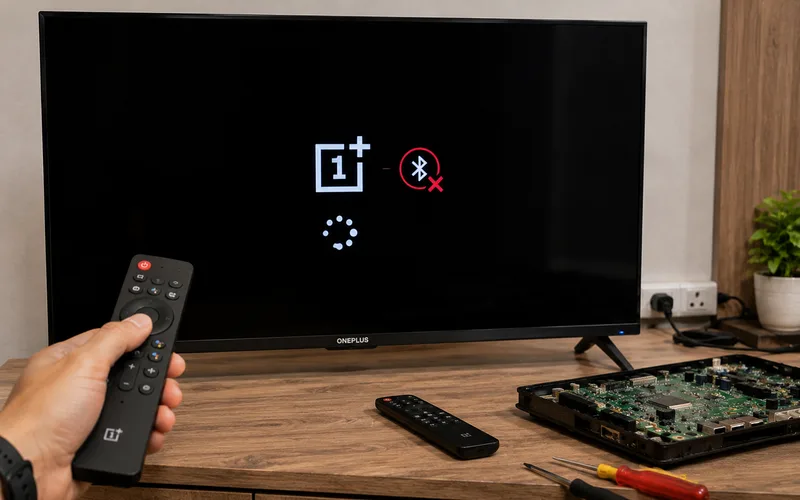
OnePlus TV Remote Not Pairing After Reset? Quick Fixes & Repair in Hyderabad Did you reset your OnePlus TV and now the OnePlus TV remote is not pairing? If the remote worked before the reset but the TV no longer responds to it, the Bluetooth pairing information may need to be set up again. This is a common situation with Bluetooth-enabled OnePlus TV remotes because the remote needs to communicate with the television after the TV’s settings or paired-device information has been reset. For customers searching for “OnePlus TV remote not pairing after reset” or “OnePlus TV remote”, the good news is that a pairing problem does not automatically mean that the remote or TV motherboard has failed. In many cases, you can try the pairing procedure again. If the remote still cannot connect after the basic steps, the problem may require further diagnosis. If you’re in Hyderabad, this guide explains how to pair the OnePlus TV remote again, what to check when pairing fails, and when professional TV repair may be necessary. Why Is My OnePlus TV Remote Not Pairing After Reset? A factory reset can remove saved settings and paired-device information. After the reset, your OnePlus TV may therefore require the remote to be paired again. Other possible reasons include: Remote pairing information was removed Remote is not in pairing mode Remote is too far from the TV Remote batteries are weak Another Bluetooth device is interfering TV Bluetooth software is temporarily unresponsive Remote hardware has a problem TV Bluetooth-related hardware has a problem Mainboard-related fault The exact cause depends on what happens when you try to pair the remote. How to Pair a OnePlus TV Remote After a Reset The exact button combination can vary between OnePlus TV remote models. For example, OnePlus’ community documentation for the OnePlus TV Y1S/Y1S Edge says the remote can be paired through: Settings → Remotes & Accessories → Remote Control → Add remote control It then instructs users to hold the OK and HOME buttons simultaneously until pairing starts, keep the remote close to the TV, and complete the pairing process shown on the TV screen. An earlier OnePlus Y-series remote guide uses a different combination—Left + Home—which is why you should use the procedure appropriate for your exact remote and TV model rather than assuming every OnePlus remote uses the same buttons. General pairing process Turn on the OnePlus TV. Open the TV’s remote/Bluetooth settings if you can navigate them. Select the option to add a remote or Bluetooth accessory. Put the remote into pairing mode using the button combination specified for your model. Keep the remote close to the TV. Wait for the remote to appear on the TV. Select it and complete pairing. OnePlus’ documentation for the Y1S/Y1S Edge specifically recommends keeping the remote within about 50 cm of the TV during pairing. OnePlus TV Remote Not Pairing? Try These Quick Fixes If the remote isn’t detected, don’t immediately assume it is damaged. Try these steps in order. 1. Replace the Batteries Weak batteries can prevent the remote from entering or maintaining Bluetooth pairing mode. Install fresh batteries and try the pairing procedure again. 2. Keep the Remote Close to the TV During pairing, keep the remote close to the television. OnePlus’ Y1S/Y1S Edge pairing instructions specifically recommend keeping the remote within approximately 50 cm of the TV during pairing. Don’t try to pair it from another room. 3. Restart the TV If possible: Turn off the TV. Disconnect the power. Wait briefly. Reconnect it. Turn the TV on. Try pairing the remote again. A restart can sometimes clear a temporary Bluetooth or software problem. 4. Remove Other Bluetooth Devices If the TV has other Bluetooth accessories connected, disconnect or remove unnecessary devices before trying to pair the remote. The goal is to make the pairing process as simple as possible. 5. Check Whether the TV Detects the Remote Go to the relevant Bluetooth/remote settings and check whether the OnePlus remote appears in the available-device list. If the remote appears but pairing fails, the problem may be different from a remote that isn’t detected at all. OnePlus TV Remote Appears but Won’t Pair This situation is worth paying attention to. Suppose the TV detects: OnePlus RC but selecting it doesn’t complete the pairing process. Possible causes can include: Temporary Bluetooth software issue Previous pairing information Remote communication problem TV Bluetooth subsystem problem Other software issues Try restarting the TV and repeating the pairing process. If the problem continues, further diagnosis may be required. OnePlus TV Remote Is Not Showing in Bluetooth Devices If the remote doesn’t appear at all, check: Battery Install fresh batteries. Pairing mode Make sure you’re using the correct pairing procedure for your remote model. Distance Keep the remote close to the TV. TV Bluetooth Check whether other Bluetooth accessories can be detected by the TV. Remote hardware If the remote cannot enter pairing mode or is not transmitting correctly, it may need inspection or replacement. OnePlus TV Remote Works but Voice Control Doesn’t Some OnePlus TV remotes use Bluetooth to support functions such as voice control. OnePlus’ Y1S/Y1S Edge documentation specifically describes Bluetooth pairing as enabling Bluetooth and voice-control functionality. So if the basic buttons work but Bluetooth/voice functionality does not, the remote may not be fully paired. Check the Bluetooth pairing status rather than assuming the remote is completely defective. OnePlus TV Remote Not Working After Factory Reset A factory reset can change the TV’s configuration and remove previously paired devices. This means the remote may need to be paired again. If the TV is asking you to complete setup Follow the setup process displayed on the screen. If you can reach: Settings → Remotes & Accessories you can use the TV’s Bluetooth settings to add the remote. For some OnePlus TV models, the remote pairing option is available under the Remotes & Accessories section. What If I Can’t Navigate the TV Without the Remote? This can make the situation more difficult.