Vee Techno Electronics – TV Repair Service Hyderabad

smart tv repair hyderabad

Hyderabad tv repair, LED TV Repair Hyderabad, smart tv repair hyderabad, tv repair in hyderabad

TV Showing “No Signal” on HDMI?

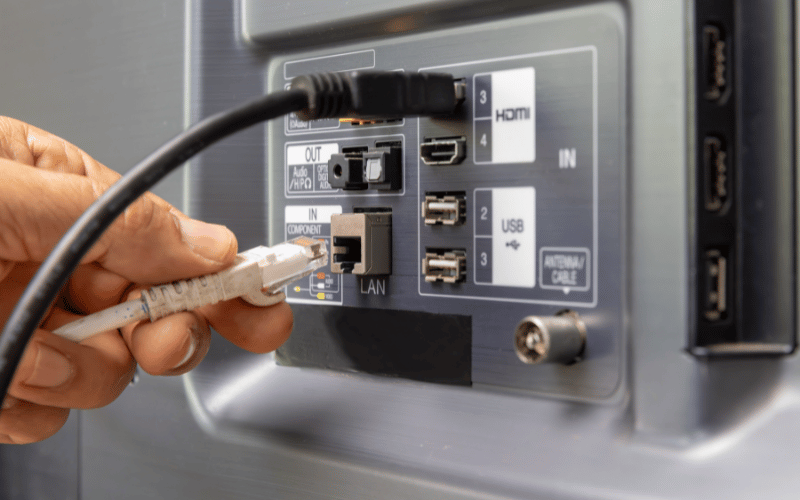
TV Showing “No Signal” on HDMI? How to Tell if the HDMI Port Is Damaged Quick Answer If your TV shows “No Signal” even though the HDMI cable is connected properly, the issue may be caused by a damaged HDMI port, faulty HDMI controller IC, motherboard communication failure, or defective cable/device connection. Why TVs Suddenly Show “No Signal” One of the most common Smart TV complaints is: “HDMI not working on TV” “TV says no signal” “PS5 not connecting to TV” “set-top box showing no signal” “HDMI port stopped working” This issue affects: Samsung TVs Sony TVs LG TVs OnePlus TVs MI TVs Android Smart TVs What the Problem Usually Looks Like Common symptoms: screen displays “No Signal” HDMI device not detected intermittent picture flickering gaming console disconnects randomly sound works but no picture one HDMI port works while others fail Many Hyderabad customers notice this after: reconnecting cables frequently shifting TV setup thunderstorms or voltage fluctuations First Check the HDMI Cable Before assuming TV damage: test another HDMI cable use a certified high-speed cable avoid loose or bent connectors Cheap HDMI cables frequently fail internally. Test Another HDMI Port Try: HDMI 1 HDMI 2 HDMI 3 Important clue: If only one port fails: physical port damage is likely If ALL HDMI ports fail: motherboard IC damage is more likely Test Another Device Connect: PlayStation Xbox Tata Play Airtel DTH laptop streaming device This helps isolate whether: the TV is faultyOR the external device is faulty One Major Cause: Hot-Plugging HDMI Cables Many people unplug and reconnect HDMI cables while the TV is powered ON. This is called: hot-plugging Small static voltage spikes can damage: HDMI controller IC motherboard signal lines input protection circuits We frequently see this issue in: gaming setups frequently moved TVs TVs with multiple daily cable swaps Hyderabad Voltage Fluctuations Also Contribute In Hyderabad homes, repeated: inverter switching unstable grounding sudden power restoration can weaken HDMI circuitry over time. This is especially common in: apartment buildings older electrical wiring setups Signs the HDMI Port Is Physically Damaged Common symptoms: HDMI cable feels loose picture appears only at certain angles sparks while connecting cable port bent inward one port stopped suddenly after reconnecting cable This usually means: broken solder joints damaged port pins cracked motherboard connector area Signs the HDMI IC Chip Is Failing Common symptoms: all HDMI ports stopped together no device detected at all random signal dropouts screen flickers intermittently TV reboots when HDMI connected These usually indicate: HDMI controller IC failure motherboard communication issue power regulation instability Can This HDMI Problem Be Repaired? Problem Repairable? Loose HDMI port Yes HDMI solder damage Yes HDMI IC chip failure Usually Yes Motherboard signal issue Usually Yes Cracked display panel No Technician Insight Many local technicians immediately suggest: “Motherboard fully damaged.” But in many TVs: only the HDMI IC fails solder joints crack port pins loosen Chip-level repair can often restore functionality at lower cost. Important Warning Avoid: forcing tight HDMI cables connecting cables during thunderstorms frequent hot-plugging while TV is ON using extremely cheap HDMI splitters These commonly damage HDMI circuitry. How to Reduce Future HDMI Problems Recommended practices: switch OFF TV before reconnecting HDMI use surge protection avoid excessive cable bending use quality HDMI cables support heavy HDMI adapters properly FAQs Why does my TV say “No Signal” even though HDMI is connected? Usually because of cable failure, damaged HDMI port, or motherboard IC issues. Can HDMI ports be repaired? Yes. Physical ports can often be replaced without changing the motherboard. Why did all HDMI ports stop working together? This usually indicates HDMI controller IC failure. Can voltage fluctuations damage HDMI ports? Yes. Sudden spikes can damage sensitive HDMI circuits. Is motherboard replacement always necessary? No. Many HDMI issues are repairable at chip level. If your TV shows “No Signal” despite proper HDMI connection, professional TV repair in Hyderabad can diagnose whether the issue is caused by cable failure, HDMI port damage, controller IC faults, or motherboard-related signal problems before recommending expensive replacement.  
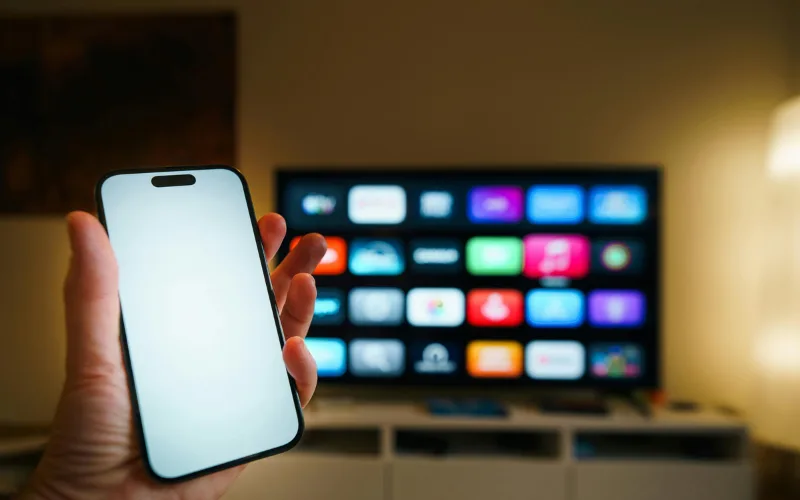
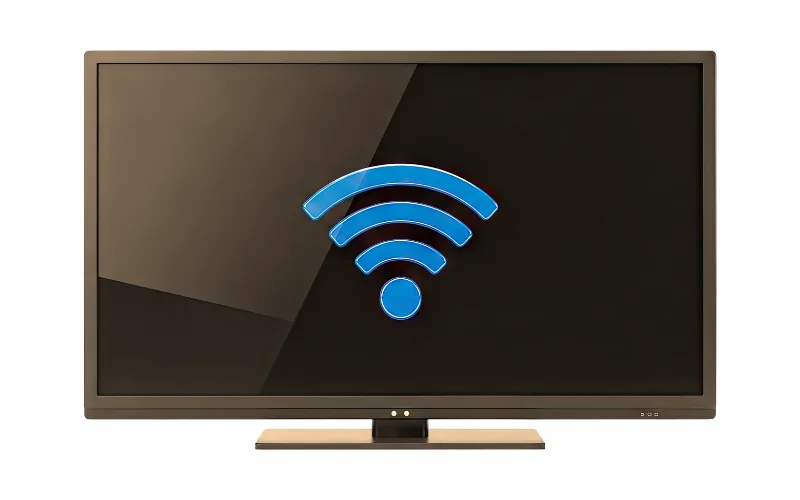
Smartphone failing to cast to a Smart TV due to Wi-Fi connection issues, diagnosed by LED TV repair services in Hyderabad.
android tv repair in hyderabad, Haier TV repair in Hyderabad, Hyderabad tv repair, LED TV Repair Hyderabad, LG TV Repair in Hyderabad, MI TV Repaiar, OnePlus TV repair in Hyderabad, Philips tv repair in hyderabad, Samsung TV Repair, smart tv repair hyderabad, Sony TV Repair in Hyderabad, tv motherboard repair in hyderabad, tv repair in hyderabad

Screen Mirroring and Chromecast Not Working on Your Smart TV?

Screen Mirroring and Chromecast Not Working on Your Smart TV? The Disconnect Between Phone and TV Sharing vacation photos or a YouTube video from your smartphone to your big screen should be seamless. But often, the TV simply doesn’t show up in your phone’s casting list, or the connection drops after just a few seconds. Troubleshooting Wireless Casting Network Unity: Ensure both your smartphone and the TV are connected to the exact same Wi-Fi band (e.g., both on 5GHz, not one on 2.4GHz and the other on 5GHz). Update Casting Apps: On Android TVs, go to the Google Play Store and ensure “Android System WebView” and “Chromecast built-in” are fully updated. Router Reboot: Sometimes the router’s IP assignment gets confused. Restarting your router can instantly fix casting visibility. If your TV frequently drops Wi-Fi signals altogether, the internal Wi-Fi/Bluetooth combo module may be failing. For advanced network diagnostics, rely on our LED tv repair services in hyderabad to keep your home fully connected.

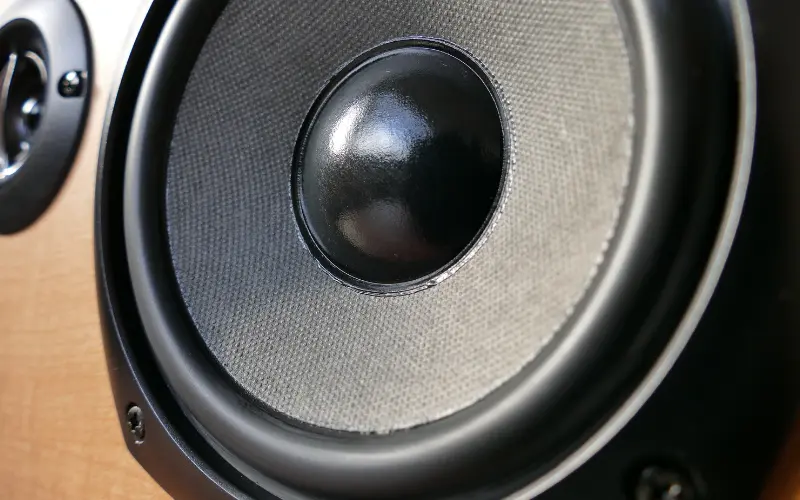
Close-up of a damaged internal TV speaker causing crackling audio, replaced during an affordable TV repair in Hyderabad.
android tv repair in hyderabad, Haier TV repair in Hyderabad, Hyderabad tv repair, LED TV Repair Hyderabad, LG TV Repair in Hyderabad, MI TV Repaiar, OnePlus TV repair in Hyderabad, Philips tv repair in hyderabad, Samsung TV Repair, smart tv repair hyderabad, Sony TV Repair in Hyderabad, tv repair in hyderabad

TV Speakers Crackling or Buzzing at High Volumes? Here is the Fix

TV Speakers Crackling or Buzzing at High Volumes? Here is the Fix The Sacrifice for Slim Designs Modern televisions are incredibly thin, which means there is very little physical space for high-quality audio drivers. Manufacturers use tiny, downward-firing speakers that are easily pushed to their absolute limits.   Why Your Audio Sounds Distorted If you hear a harsh buzzing or crackling noise—especially during deep bass sounds or loud action scenes—the physical cone inside the speaker has likely torn or detached from its housing. This usually happens if you frequently listen to music or movies at maximum volume without an external soundbar.   The Repair Process Blown TV speakers cannot be “glued” back together; they must be replaced as a modular unit. Fortunately, this is one of the most cost-effective hardware fixes available. If you want crystal clear dialogue without buying an expensive home theater system, contact us for Affordable tv repair in hyderabad and we will install brand-new acoustic drivers at your doorstep.

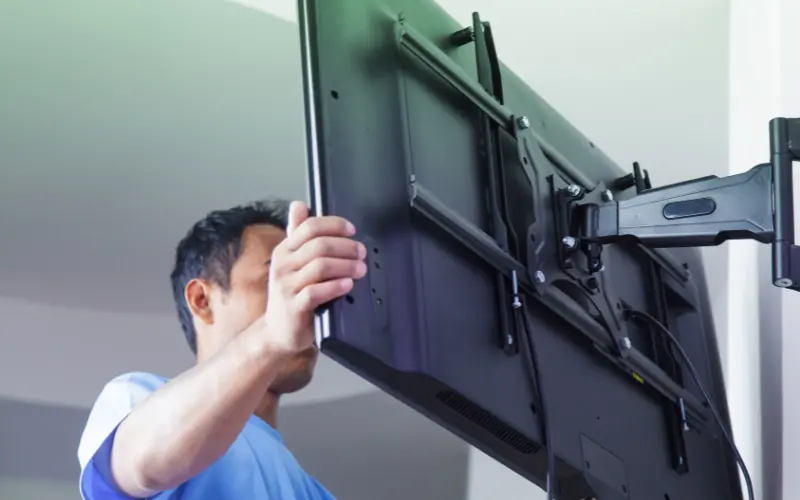
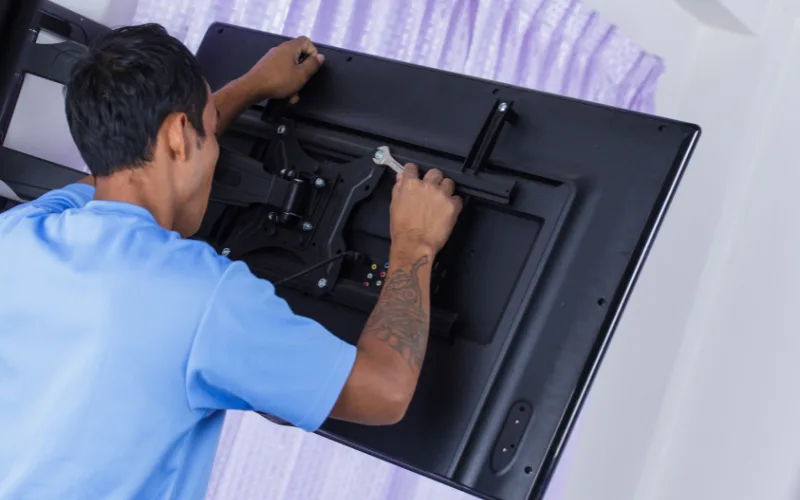
Proper installation of a heavy-duty wall mount bracket to prevent screen damage, advised by the best TV repair in Hyderabad.
android tv repair in hyderabad, Haier TV repair in Hyderabad, Hyderabad tv repair, LED TV Repair Hyderabad, LG TV Repair in Hyderabad, MI TV Repaiar, OnePlus TV repair in Hyderabad, Philips tv repair in hyderabad, Samsung TV Repair, smart tv repair hyderabad, Sony TV Repair in Hyderabad, tv repair in hyderabad

Are You Damaging Your TV Without Knowing It? The Risks of Bad Wall Mounting

Are You Damaging Your TV Without Knowing It? The Risks of Bad Wall Mounting The Invisible Stress on Your Screen Wall-mounting a massive 65-inch flat screen saves space and looks elegant. However, if the installation is done incorrectly using cheap brackets or unlevel drilling, it puts immense physical stress on the ultra-thin plastic frame of the TV. How Bad Mounting Destroys TVs Frame Warping: If the wall isn’t perfectly flat or the screws are overtightened on one side, the TV frame bends slightly. Over weeks, this tension can cause the internal glass panel to crack spontaneously. Heat Trapping: Mounting a TV perfectly flush against a wall blocks the rear ventilation grates, leading to severe motherboard overheating. Always use heavy-duty, VESA-compliant mounts and leave at least two inches of breathing room behind the unit. If you’ve noticed bright white spots in the corners of your screen (a sign of frame pressure), you need an expert assessment. Call the Best tv repair in hyderabad for a structural and hardware checkup today.

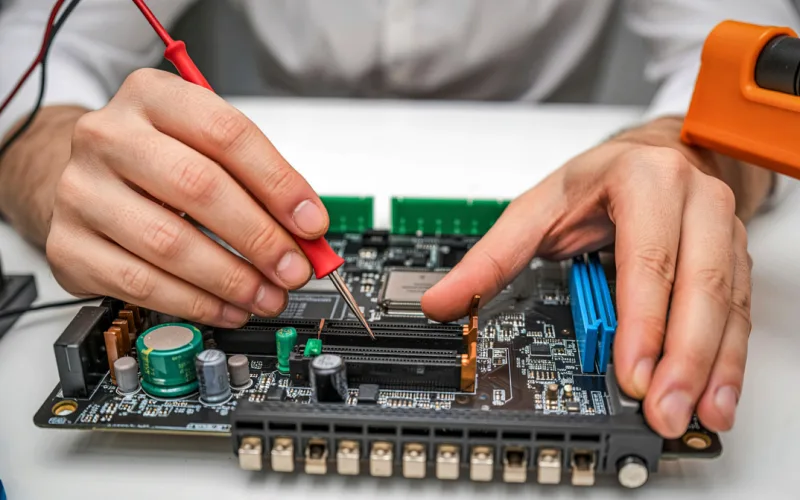
Experienced technician evaluating an older Smart TV motherboard to provide affordable TV repair in Hyderabad.
android tv repair in hyderabad, Haier TV repair in Hyderabad, Hyderabad tv repair, LED TV Repair Hyderabad, LG TV Repair in Hyderabad, MI TV Repaiar, OnePlus TV repair in Hyderabad, Philips tv repair in hyderabad, Samsung TV Repair, smart tv repair hyderabad, Sony TV Repair in Hyderabad, tv motherboard repair in hyderabad, tv repair in hyderabad

Upgrading vs. Repairing: When is Your Old TV Worth Saving?

Upgrading vs. Repairing: When is Your Old TV Worth Saving? The Ultimate Dilemma When a television breaks down, consumers immediately wonder: “Is the repair cost worth it, or should I just buy a new smart TV?” When to Repair Your TV The TV is less than 5 years old. It is a high-end OLED or QLED model where the repair cost is less than 30% of a replacement. The issue is minor, such as a faulty Wi-Fi module, blown speaker, or dead power supply board. When to Upgrade The screen panel is physically cracked (panel replacements often cost as much as a new TV). The TV is over 8 years old and no longer supports modern streaming apps. Make an informed financial decision. Reach out for an honest quote from our Affordable tv repair in hyderabad team. We pride ourselves on transparent assessments, which is why locals trust us for all their Led tv repair in hyderabad needs.

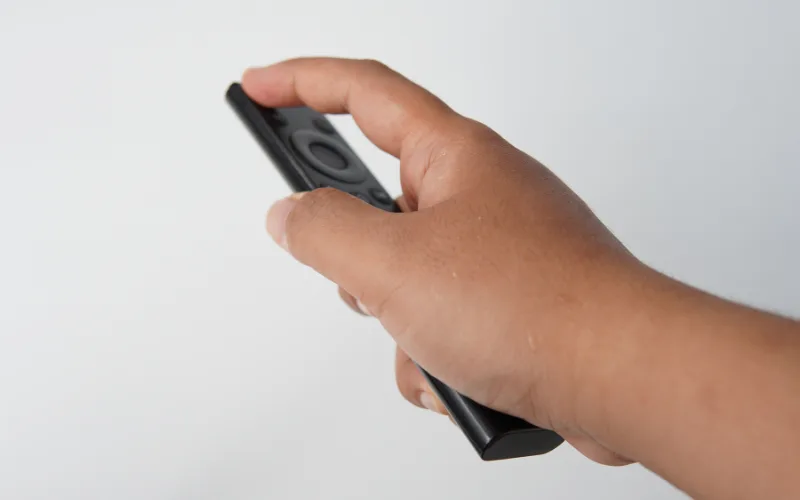
Checking a Smart TV remote's infrared sensor with a smartphone camera before calling for LG TV repair in Hyderabad.
android tv repair in hyderabad, Haier TV repair in Hyderabad, Hyderabad tv repair, LED TV Repair Hyderabad, LG TV Repair in Hyderabad, MI TV Repaiar, OnePlus TV repair in Hyderabad, Philips tv repair in hyderabad, Samsung TV Repair, smart tv repair hyderabad, Sony TV Repair in Hyderabad, tv repair in hyderabad

How to Fix a TV Remote That Stopped Working

How to Fix a TV Remote That Stopped Working Is It the Remote or the TV? When your TV stops responding to the remote, the first instinct is to smack it or change the batteries. If fresh batteries don’t work, here is how to find the real problem.   The Smartphone Camera Trick Point your infrared (IR) remote at your smartphone’s camera and press a button. If you see a purple light on your phone screen, the remote is sending a signal. This means the IR receiver inside your TV is broken.   Bluetooth Remote Resets Modern Smart TV remotes use Bluetooth. Sometimes they simply unpair. Hold down the “Return” and “Play/Pause” buttons simultaneously for 5 seconds to force a re-pairing.   If the TV’s internal sensor is damaged, we can replace it quickly. From Samsung TV repair in hyderabad to MI TV repair in hyderabad, our doorstep technicians carry exact replacement sensors for immediate fixes.

LED TV screen displaying a flickering and distorted image, a hardware problem resolved by LED TV repair services in Hyderabad.
android tv repair in hyderabad, Haier TV repair in Hyderabad, Hyderabad tv repair, LED TV Repair Hyderabad, LG TV Repair in Hyderabad, MI TV Repaiar, OnePlus TV repair in Hyderabad, Philips tv repair in hyderabad, Samsung TV Repair, smart tv repair hyderabad, Sony TV Repair in Hyderabad, tv repair in hyderabad

Flickering TV Screen: Is It a Loose Cable or a Failing Display?

Flickering TV Screen: Is It a Loose Cable or a Failing Display? Diagnosing the Flicker A blinking or strobe-light effect on your TV is not just annoying; it can cause headaches and eye strain. The root cause usually falls into one of two categories: external connections or internal hardware.   Step 1: Check the Inputs A degraded HDMI cable is often the culprit. Try swapping the cable and plugging it into a different HDMI port. If the flickering stops, the TV is fine.   Step 2: Internal Hardware Issues If the TV flickers even on the main menu without any cables attached, you are likely dealing with a failing T-Con board or dying LED backlights. Don’t ignore a flicker, as it can escalate into a complete blackout. Call our LED tv repair services in hyderabad for a swift diagnosis. Rated as the Best tv repair in hyderabad, we ensure your viewing experience remains smooth and safe.

Damaged TV power supply board caused by voltage fluctuations, being inspected by the best TV repair services in Hyderabad.
android tv repair in hyderabad, Hyderabad tv repair, LED TV Repair Hyderabad, smart tv repair hyderabad, Sony TV Repair in Hyderabad, tv repair in hyderabad

Power Surges: How Voltage Fluctuations Destroy Your TV

Power Surges: How Voltage Fluctuations Destroy Your TV The Impact of Unstable Electricity Sudden power cuts and voltage spikes are common. While modern televisions have built-in regulators, a severe surge can bypass these and instantly fry the primary power supply board (SMPS). Symptoms of a Blown Power Board The standby light is completely dead. The TV clicks repeatedly but won’t turn on. A faint burning smell comes from the back panel. Prevention and Solutions Always use a high-quality surge protector, not just a standard extension cord. If the damage is already done, don’t panic. Replacing a power board is highly cost-effective compared to buying a new TV. As the Best tv repair services in hyderabad, we stock genuine power supplies for all major brands. If you need a reliable LG Tv repair in hyderabad, our chip-level experts can often repair the existing board to save you money.

Smart TV screen showing a Wi-Fi connection error but no internet, a common issue fixed by MI TV repair in Hyderabad.
Hyderabad tv repair, smart tv repair hyderabad, tv repair in hyderabad

Why Your Smart TV is Connecting to Wi-Fi But Not Playing Videos

Why Your Smart TV is Connecting to Wi-Fi But Not Playing Videos The “Connected, No Internet” Frustration It’s a common weekend scenario: your TV says it’s connected to your router, but Netflix, YouTube, or Prime Video refuse to load. Before assuming the Wi-Fi card is broken, the issue often lies in DNS settings or overloaded application caches. Quick Troubleshooting Steps Clear the App Cache: Go to settings, find the specific app, and clear its cached data. Change DNS Settings: Switch your TV’s DNS settings from automatic to Google’s public DNS (8.8.8.8). Check the Date and Time: An incorrect system clock will block secure video streams. If you’ve tried these steps and the Wi-Fi module is hardware-faulty, it might require a physical replacement. Whether you need a quick MI TV repair in hyderabad or a complex OnePlus tv repair in hyderabad, our technicians can replace faulty network ICs right at your doorstep.

Close up of a rusted TV motherboard showing moisture damage, requiring the best TV repair in Hyderabad.
Hyderabad tv repair, smart tv repair hyderabad, tv repair in hyderabad

Is Your TV Safe During Monsoons? A Guide to Preventing Moisture Damage

Is Your TV Safe During Monsoons? A Guide to Preventing Moisture Damage How Humidity Destroys Internal Components During the rainy season, the air in your home carries microscopic water droplets. If your television is wall-mounted near a window or an exterior wall, this moisture can seep into the vents. Over time, this causes oxidation and rust on the motherboard and T-Con board. Warning Signs of Moisture Damage Crackling sounds when you turn on the TV Distorted colors or a washed-out display The TV taking longer than usual to power up How to Protect Your Investment Always ensure there is a gap between your TV and the wall to allow for proper airflow. If you suspect water damage, do not turn the TV on. Searching for Best tv repair in hyderabad? Our experts use specialized chemical washes to remove motherboard moisture before it causes a short circuit. For comprehensive diagnostics, reach out to our LED tv repair services in hyderabad today.

Call Us Now
WhatsApp
Scroll to Top