Vee Techno Electronics – TV Repair Service Hyderabad

TV Technician Hyderabad

Samsung TV Repair

Samsung 43-Inch & 55-Inch LED TV Backlight Repair Cost in Hyderabad

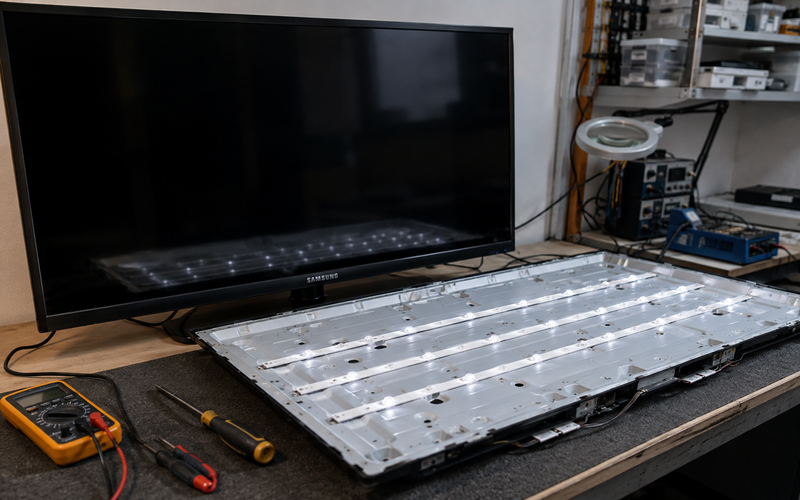
Samsung 43-Inch & 55-Inch LED TV Backlight Repair Cost in Hyderabad If your Samsung LED TV has sound but no picture, a very dim screen, flickering brightness, or a picture that appears briefly and then goes dark, the LED backlight system may be one of the components that needs to be checked. For people searching for Samsung TV repair cost or specifically Samsung 43 inch LED TV backlight repair cost in Hyderabad, the most important thing to understand is that there is no single price that applies to every Samsung TV. The final cost depends on the exact model, LED strip design, screen size, part availability, fault location and the repair method used. Samsung itself states that spare-part prices are subject to change and that its listed part prices do not include labour and other consumables. It also says the exact repair cost is confirmed by the service engineer after diagnosis. That is why a reliable estimate should be based on the TV model number and actual fault, rather than screen size alone. Samsung TV Backlight Repair Cost in Hyderabad As a practical local-market reference, published Hyderabad repair pricing currently places Samsung backlight repair around ₹1,500–₹3,500 for many standard Samsung TVs. However, this is only an indicative range and should not be treated as a fixed price for every 43-inch or 55-inch model. For larger or more complex models, the cost can be higher. One Hyderabad repair provider currently lists Samsung 55-inch backlight LED strip replacement around ₹3,500–₹7,500, depending on the model and parts required. Indicative Samsung Backlight Repair Cost Samsung TV Size Typical Local Repair Range* 32-inch ₹1,000–₹2,500 40-inch ₹1,200–₹3,000 43-inch ₹1,500–₹3,500 50-inch ₹2,000–₹4,500 55-inch ₹2,500–₹7,500 65-inch ₹3,500–₹9,000+ *Indicative market ranges, not a fixed Vee Techno Electronics price list. Actual cost depends on the Samsung model, LED strip type, parts availability, diagnosis and labour. This distinction is important because two Samsung 43-inch TVs can use different LED strip sets and different panel constructions. Samsung 43-Inch LED TV Backlight Repair Cost If you’re specifically searching for Samsung 43 inch LED TV backlight repair cost, a reasonable starting expectation in Hyderabad is approximately ₹1,500–₹3,500 for many standard models. But the exact amount can change depending on: Samsung model number Year of manufacture Crystal UHD or other series Direct-lit or edge-lit design Number and type of LED strips Genuine or compatible replacement strips Availability of the correct spare Labour involved in panel removal Whether the LED driver circuit is also affected A technician should therefore inspect the TV before quoting the final repair amount. Example Suppose a Samsung 43-inch TV has: Sound → working Remote → working Power LED → normal Screen → completely dark That does not automatically mean the entire display panel is damaged. The technician may first check whether the problem is related to: LED strips LED driver Power supply Connections Main board Panel itself If the panel is healthy and the fault is limited to the backlight system, repairing or replacing the affected backlight components can be considerably less expensive than replacing the entire panel. Samsung 55-Inch LED TV Backlight Repair Cost For a Samsung 55-inch LED TV, repair costs can be higher because the TV has a larger panel and the backlight arrangement can require more components and careful handling. Current Hyderabad market references put standard Samsung backlight repair in the broader range of roughly ₹1,500–₹3,500, while a 2026 Hyderabad repair provider lists ₹3,500–₹7,500 approximately for Samsung 55-inch backlight LED strip replacement. For this reason, it is better not to advertise one fixed “Samsung 55-inch backlight repair price.” A proper quote should be given after checking the exact model. Why Does Samsung TV Backlight Repair Cost Vary? Several factors affect Samsung TV repair cost in Hyderabad. 1. TV Size A larger TV generally requires more careful handling during panel removal. A 43-inch TV and a 55-inch TV may use different backlight assemblies, even when both are Samsung LED TVs. 2. Exact Samsung Model The model number is more important than simply saying “Samsung 43-inch TV.” For example, different Samsung series can use different: LED strip arrangements Power boards LED drivers Panel assemblies Optical sheets Therefore, technicians should ideally ask for the model number printed on the TV label. 3. LED Strip Availability The replacement cost depends on whether the correct strip set is readily available. Older or less common models may require more time to source the appropriate part. 4. Genuine vs Compatible Parts The price can also vary depending on the replacement component. A customer should ask: “Which backlight strips are being installed, and what warranty is provided on the repair?” This makes it easier to compare quotes from different repair providers. 5. Panel Opening and Reassembly This is one of the biggest reasons backlight repair should not be treated as a simple “LED replacement.” The LEDs are located behind the display panel. To reach them, the technician may need to carefully remove: TV rear cover Internal boards and connections where necessary Panel frame Display panel Diffuser sheets Backlight assembly The components then need to be reassembled in the correct order. Why Professional Panel Separation Is Required This is particularly important for Samsung 43-inch and 55-inch LED TV backlight repair. The display panel is thin and fragile. Behind it are multiple layers that help distribute light evenly across the screen. During a backlight repair, the technician may need to separate the panel from the television chassis to access the LED strips. The basic structure can include: LCD/display panel ↓ Optical/diffuser layers ↓ LED backlight system ↓ Reflector/light guide structure ↓ TV chassis This is why simply opening the rear cover does not provide direct access to the LEDs. What Can Go Wrong During Panel Separation? A careless repair can cause additional damage. Potential problems include: Cracked display panel Damaged panel edges Damaged flex cables Misaligned diffuser sheets Uneven brightness Bright spots Dark areas Light leakage Dust trapped inside the display Screen lines after reassembly A panel replacement can be far more expensive than a backlight
OnePlus TV repair in Hyderabad

OnePlus TV WiFi Not Working or Keeps Disconnecting? Causes & Repair in Hyderabad

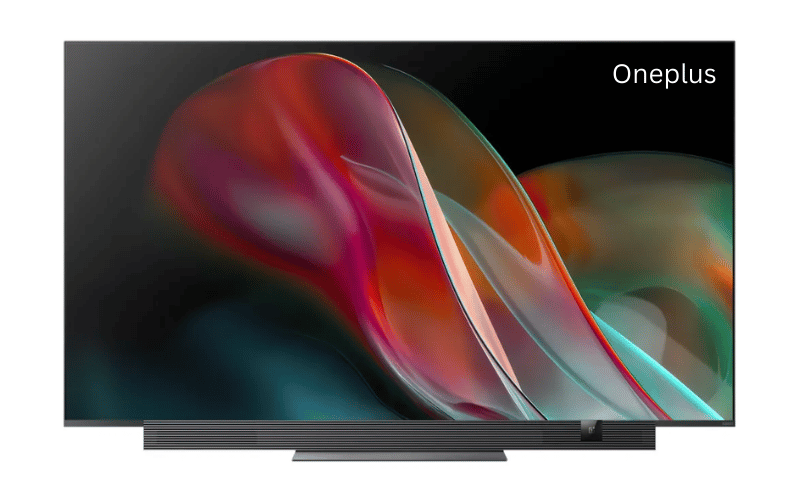
OnePlus TV WiFi Not Working or Keeps Disconnecting? Causes & Repair in Hyderabad Quick Answer If your OnePlus TV WiFi keeps disconnecting or refuses to connect entirely, the issue may be caused by router compatibility problems, corrupted Android software, failing WiFi/Bluetooth modules, or motherboard-related hardware faults. OnePlus Smart TVs Depend Heavily on WiFi Unlike traditional TVs, OnePlus Android TVs rely on internet connectivity for: YouTube Netflix Google services voice assistant app updates streaming That’s why WiFi issues become extremely frustrating. Common searches include: “OnePlus TV WiFi not working” “TV keeps disconnecting from WiFi” “OnePlus TV internet issue” “Android TV WiFi keeps dropping” “TV connected without internet” What the Problem Usually Looks Like Common symptoms: WiFi disconnects repeatedly TV fails to detect nearby networks YouTube buffers constantly apps show “No Internet” TV reconnects automatically after restart voice commands stop working Sometimes: Bluetooth remote also disconnects casting stops working network disappears entirely This is an important clue. First Check Your Router Before Assuming TV Damage Before opening the TV, test: mobile internet on same WiFi other devices near TV router restart Many connectivity issues are caused by: overloaded routers weak signal strength outdated router firmware Common WiFi Compatibility Issues Some OnePlus TVs struggle with: dual-band router switching unstable 5GHz signals crowded apartment WiFi networks This is very common in Hyderabad apartment complexes where dozens of nearby routers overlap. Try These Basic Fixes First 1. Restart the TV and Router Power OFF: router TV Wait: 5 minutes Reconnect both devices. 2. Forget and Reconnect WiFi Go to:Settings → Network → Saved Networks Remove the current WiFi connection and reconnect manually. 3. Check for Software Updates Older firmware sometimes causes: random disconnections network instability app streaming issues When It Becomes a Hardware Problem If: TV cannot detect ANY WiFi network Bluetooth remote also stops pairing internet disconnects constantly despite strong signal then the issue may be inside the TV itself. The Internal WiFi/Bluetooth Module Can Fail Inside the TV is a combined: WiFi module Bluetooth module This tiny component handles: wireless internet Bluetooth remote voice assistant communication casting features Over time: heat damages the module voltage fluctuations affect circuitry motherboard communication becomes unstable We commonly notice this issue in: heavily used Smart TVs enclosed wall-mounted setups TVs exposed to frequent power fluctuations Hyderabad Power Conditions Also Affect Smart TVs In Hyderabad homes, repeated: inverter switching sudden voltage drops unstable power restoration can damage wireless communication modules over time. This is especially common during: monsoon power interruptions summer high-load periods Signs Your OnePlus TV Has Hardware-Related WiFi Failure Common symptoms: WiFi option disappears entirely Bluetooth remote disconnects together TV only works via LAN cable network scanning never finishes apps freeze while loading internet content These usually indicate: failing WiFi module motherboard communication issue Android system corruption Can This OnePlus TV Problem Be Repaired? Problem Repairable? Software-related WiFi issue Yes Firmware corruption Yes WiFi/Bluetooth module failure Yes Motherboard communication issue Usually Yes Cracked display panel No Technician Insight Many users repeatedly factory reset the TV. But if: Bluetooth fails together with WiFi no networks appear at all the issue is often hardware-related rather than software-related. Important Warning Avoid: unofficial firmware installations overheating inside closed cabinets unstable local repair modifications Improper repairs can permanently damage motherboard tracks. FAQs Why does my OnePlus TV keep disconnecting from WiFi? Usually due to router instability, firmware issues, or failing wireless modules. Can WiFi module problems be repaired? Yes. In many cases the module can be replaced. Why is Bluetooth remote also disconnecting? Because both WiFi and Bluetooth often share the same internal module. Is motherboard replacement always necessary? No. Many wireless issues can be repaired without replacing the full board. Can power fluctuations damage Smart TV WiFi? Yes. Repeated voltage instability can affect wireless communication circuits. If your OnePlus TV keeps disconnecting from WiFi or cannot detect networks properly, professional OnePlus TV repair in Hyderabad can diagnose whether the issue is caused by software corruption, router compatibility, wireless module failure, or motherboard-related faults before recommending replacement.  

android tv repair in hyderabad, Hyderabad tv repair, LED TV Repair Hyderabad, smart tv repair hyderabad, tv repair in hyderabad

Inside a TV Technician’s Toolkit: How Hyderabad’s Top Technicians Actually Diagnose a TV

Inside a TV Technician’s Toolkit: How Hyderabad’s Top Technicians Actually Diagnose a TV Most customers think TV repair is guesswork.It is not. A trained TV technician follows a structured diagnostic workflow that eliminates 90% of guess-based repairs. This blog gives you an insider view of how top technicians in Hyderabad diagnose: • Samsung• Sony• LG• Mi• OnePlus• TCL / Hisense• Haier 1. Physical Inspection — The Clues Customers Don’t See A technician can diagnose 30% of issues visually: • Burn marks• Loose COF bonding• Backlight leakage• Moisture entry• Rusted connectors• Bulged capacitors Without touching a tool, a trained eye identifies early clues. 2. Voltage Rail Mapping — The Heart of Real Diagnosis Every TV has primary voltage lines: 12V (panel supply)5V (motherboard logic)3.3V (T-Con control)1.8V (memory circuits)24V (backlight driver) A trained technician measures each using: • Multimeter• Oscilloscope (premium shops)• Thermal camera (for hotspot mapping) One incorrect rail can cause: • No power• No picture• Lines• Boot loops• HDMI failure Voltage mapping is what most roadside technicians skip. 3. T-Con Testing — The Most Misunderstood Step T-Con is responsible for: • Gate driver signals• Timing control• Pixel mapping A technician checks: • VGH / VGL• AVDD• VCOM• Panel test points• COF heating• Ribbon response If even one value is off, the result is: • Flickering• Lines• Half screen• No picture 4. Panel Isolation — The Step That Saves Customers Thousands Top Hyderabad tv technicians detach the panel from the T-Con and test separately. Why? Because this isolates: • Panel bonding faults• Driver IC damage• Gate driver corruption This step tells whether a panel is truly dead. 87% of shops in Hyderabad don’t perform this test — which leads to fake “panel gone” diagnoses. 5. Backlight Load Testing Using LED testers, technicians simulate actual LED load. Findings from testing: • One weak LED can reduce full brightness• Duplicate strips fail load test• Driver IC overstressing backlight This identifies the real cause instead of simply replacing strips. 6. HDMI and WiFi Circuit Diagnosis HDMI issues are tested with: • EDID data check• Port continuity• IC temperature• Signal integrity test WiFi issues are checked with: • Antenna output• Voltage stability• Module short tests 7. eMMC Storage Testing — The Real Reason Smart TVs Slow Down Android and WebOS TVs rely heavily on flash memory. Signs of failing eMMC: • Slow OS• Apps freezing• Boot loops• Factory reset failing Technicians test: • Read/write speeds• Voltage drop• Heat under load If eMMC is weak, firmware reinstall alone won’t fix the issue. Conclusion TV repair is a science, not guesswork.When done properly—with voltage mapping, panel isolation, and chip-level diagnostics—TVs can be repaired accurately without unnecessary part replacements.

android tv repair in hyderabad, Hyderabad tv repair, LED TV Repair Hyderabad, smart tv repair hyderabad, tv repair in hyderabad

Best TV Repair Service in Hyderabad – 9 Checks Before Booking a Technician

Best TV Repair Service in Hyderabad — 9 Checks Before Booking a Technician Finding a reliable TV repair service in Hyderabad can be difficult, especially with dozens of roadside technicians and service shops offering varying prices and repair quality. Many customers face problems like repeated failures, non-genuine parts, overcharging, or technicians who do not provide proper bills or warranty. To help you choose the right service provider, here are nine professional checks that ensure you select the best TV repair service in Hyderabad. Whether you own a Sony, Samsung, LG, Mi, OnePlus, Philips, or Haier TV, following these checks will help you avoid scams and ensure long-lasting repair quality. 1. Verify Technical Expertise and Experience A reliable TV repair service must have technicians skilled in chip-level repair, T-Con board repair, motherboard service, panel diagnostics, and backlight replacement. Ask how many years of experience they have and whether they specialize in LED, LCD, QLED, OLED, and Smart TVs. 2. Check Customer Reviews and Ratings Reviews provide real user experiences. Look for patterns such as repeated complaints about overcharging, poor-quality repairs, or technicians not returning for warranty support. A professional TV repair service will have consistent positive feedback and transparent communication. 3. Confirm Same-Day Doorstep Service In Hyderabad, most customers prefer doorstep service due to convenience. Ensure the technician offers home visits with proper tools, testing equipment, and replacement parts for quick diagnosis. Same-day service significantly reduces downtime and improves customer satisfaction. 4. Ask About Warranty on Repairs Genuine repair services provide warranty on motherboard repair, backlight replacement, T-Con board repair, and software servicing. Always choose technicians who give written or digital warranty proof. Avoid services that provide verbal warranty only. 5. Check If the Service Uses Genuine or High-Grade Parts Non-genuine parts can cause repeated failures. Ask if the replacement parts used are original, refurbished, or compatible high-grade components. A trustworthy service provider will be transparent about the type of parts used and their expected lifespan. 6. Understand the Pricing Structure The best TV repair service in Hyderabad will offer clear, upfront pricing based on diagnosis. Beware of unusually low estimates that later include hidden charges. Choose technicians who provide a clear quote once the issue is identified and explain the cost difference for repair vs replacement. 7. Evaluate the Diagnostic Process A skilled technician follows a structured diagnostic method, including:Voltage testing on the motherboardBacklight testingPanel ribbon inspectionFirmware checksDisplay isolation testsThis ensures accurate identification of the root cause rather than temporary fixes. 8. Confirm the Service Area Coverage Choose a repair service that covers all major locations in Hyderabad such as Ameerpet, Kukatpally, Madhapur, Kondapur, Gachibowli, Secunderabad, Uppal, LB Nagar, and surrounding areas. Service providers with wider coverage often have better resource availability and faster response times. 9. Look for Professional Communication and Support The best services maintain professionalism through proper appointment scheduling, clear timelines, transparent communication, and post-repair guidance. They also provide invoices and maintain service records for future support. Why Choosing the Right TV Repair Service Matters A TV is an expensive appliance, and incorrect repair can cause permanent damage to the panel or motherboard. By following these nine checks, you can ensure safe, reliable, and long-lasting repair work. Selecting the right technician also reduces repair cost, prevents repeat failures, and ensures a smoother service experience. Frequently Asked Questions What is the average cost of TV repair in Hyderabad?Costs vary depending on the issue. Backlight repair, motherboard repair, and T-Con issues have different pricing structures. Do all technicians offer doorstep service?No. Only professional services with proper tools and experience offer true doorstep repairs. How can I ensure the parts used are genuine?Ask for warranty, packaging details, and part specifications from the service provider. Is it safe to get chip-level TV repair at home?Yes, most repairs can be performed safely at home with proper tools and expertise. If you want the best TV repair service in Hyderabad, choose technicians who offer genuine parts, clear pricing, same-day support, and professional chip-level repair. Contact us today to book a doorstep service appointment.

Haier TV repair in Hyderabad

Doorstep Haier TV Repair in Hyderabad — Is Same-Day Service Really Possible?

Doorstep Haier TV Repair in Hyderabad — Is Same-Day Service Really Possible? When your Haier LED or Smart TV suddenly stops working, the first thought is usually: “How soon can someone come and fix this at home?” You don’t want to disconnect cables, haul a big TV to a service center, or wait days for an update.That’s exactly why doorstep Haier TV repair in Hyderabad has become so popular — and yes, in many cases, same-day service is absolutely possible. Let’s break down how it works, when same-day repair is realistic, and what to expect when you book with Vee Techno Electronics. Why Haier TV Owners in Hyderabad Prefer Doorstep Service The Hyderabad heat, dust, and frequent power fluctuations can take a toll on LED TVs.We receive hundreds of calls every month from customers facing: TV turning on but no picture Sound without display HDMI or USB ports not working TV stuck on Haier logo Screen flickering or power board failure Most of these issues don’t require taking your TV to a workshop — they can be diagnosed and repaired right at your home. That’s where doorstep Haier TV repair comes in. Is Same-Day Haier TV Repair Really Possible? Yes — but it depends on the type of issue and when you call. At Vee Techno Electronics, we aim to complete same-day visits across Hyderabad for all Haier TV service calls booked before 12:00 noon. Here’s how we make it happen: On-Call DiagnosisWhen you call, our team will ask a few quick questions — model, issue type, symptoms (e.g., black screen, no sound, etc.).This helps us send the right technician with the correct tools and parts. Nearby Technician DispatchOur technicians are stationed across Hyderabad — ECIL, Kapra, Uppal, Dilsukhnagar, Kukatpally, and Gachibowli.So instead of one central office, we dispatch from the nearest location. Common Parts in StockWe carry Haier-compatible power boards, LED strips, and drivers in inventory.That means most display, backlight, or audio issues can be repaired the same day. Instant Quote & Repair DecisionOnce diagnosed, you’ll receive a transparent quote on the spot — no hidden charges, no “we’ll call you later” delays.Approve it, and we fix it right away. When Same-Day Haier TV Repair Might Take Longer Not all issues can be solved instantly — here’s when it might take longer: The display panel needs replacement (usually 1–2 days for sourcing). You own a rare Haier 4K model with limited parts availability. Heavy rain or travel restrictions delay technician travel (common in monsoon months). The TV is under extended warranty and requires approval from the manufacturer. Even then, we diagnose your TV the same day, and keep you updated with the part arrival ETA. Areas We Cover for Doorstep Haier TV Repair in Hyderabad Our service covers all major Hyderabad neighborhoods, including: ECIL, Kapra, and Kushaiguda Uppal, Tarnaka, Nacharam Secunderabad, Malkajgiri, Alwal Kukatpally, Ameerpet, Mehdipatnam Dilsukhnagar, LB Nagar, Gachibowli Wherever you are, we’ll connect you with the nearest available technician for quick, on-site service. How to Book Doorstep Haier TV Repair in Hyderabad Booking is simple: Call +91 95151 35588 or visit Vee Techno Electronics Contact Page. Describe your TV model and issue. Get an appointment within hours. Technician arrives, diagnoses, and repairs — often the same day. Whether it’s a screen issue, sound problem, or full panel replacement, we ensure reliable, professional, and fast service — right at your doorstep. When to Call for Immediate Service Reach out if you notice: Black screen with sound TV restarting continuously Brightness fading or flickering HDMI not detecting input TV not powering on These are early signs of panel or board failure, and fast diagnosis can often save you from costlier repairs later. Related Articles Haier LED TV Panel Replacement in Hyderabad – Complete Guide TV Panel Replacement Cost in Hyderabad (Brand-Wise Repair Guide) Common LED TV Problems and Quick Fixes – Hyderabad Guide

Call Us Now
WhatsApp
Scroll to Top