Vee Techno Electronics – TV Repair Service Hyderabad

Author name: velourdigitalhub@gmail.com

Hyderabad tv repair, LED TV Repair Hyderabad, tv repair in hyderabad

Best LED TV Repair Services Near Me in Hyderabad – Cost, Reviews & Home Service

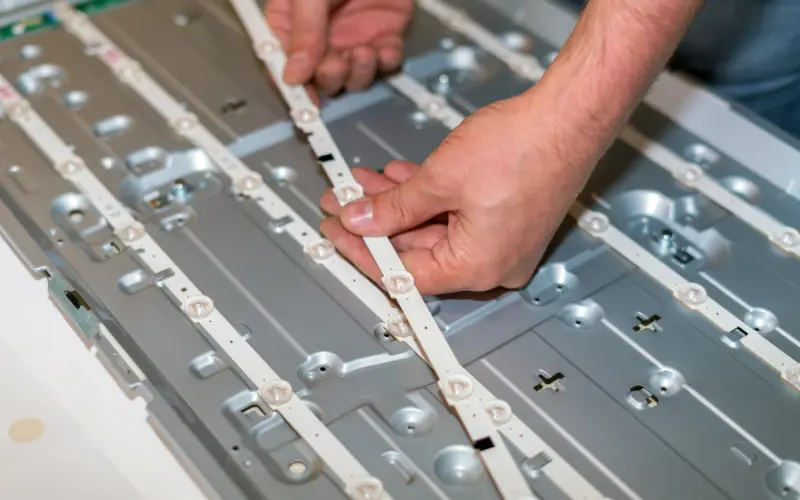
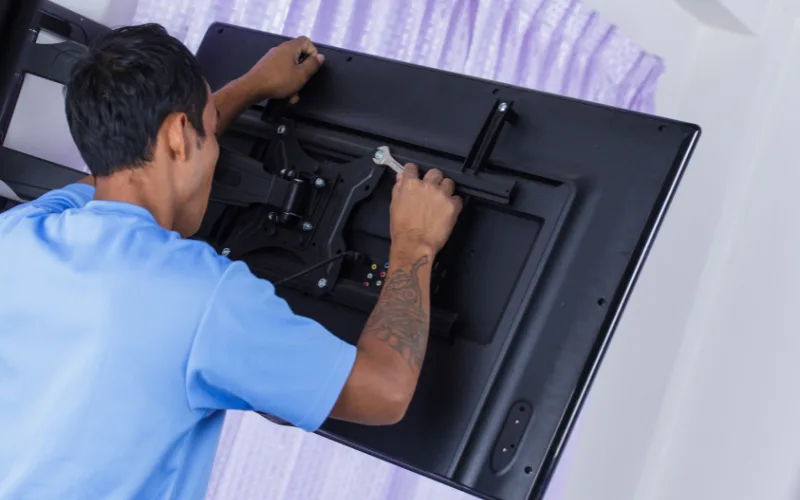
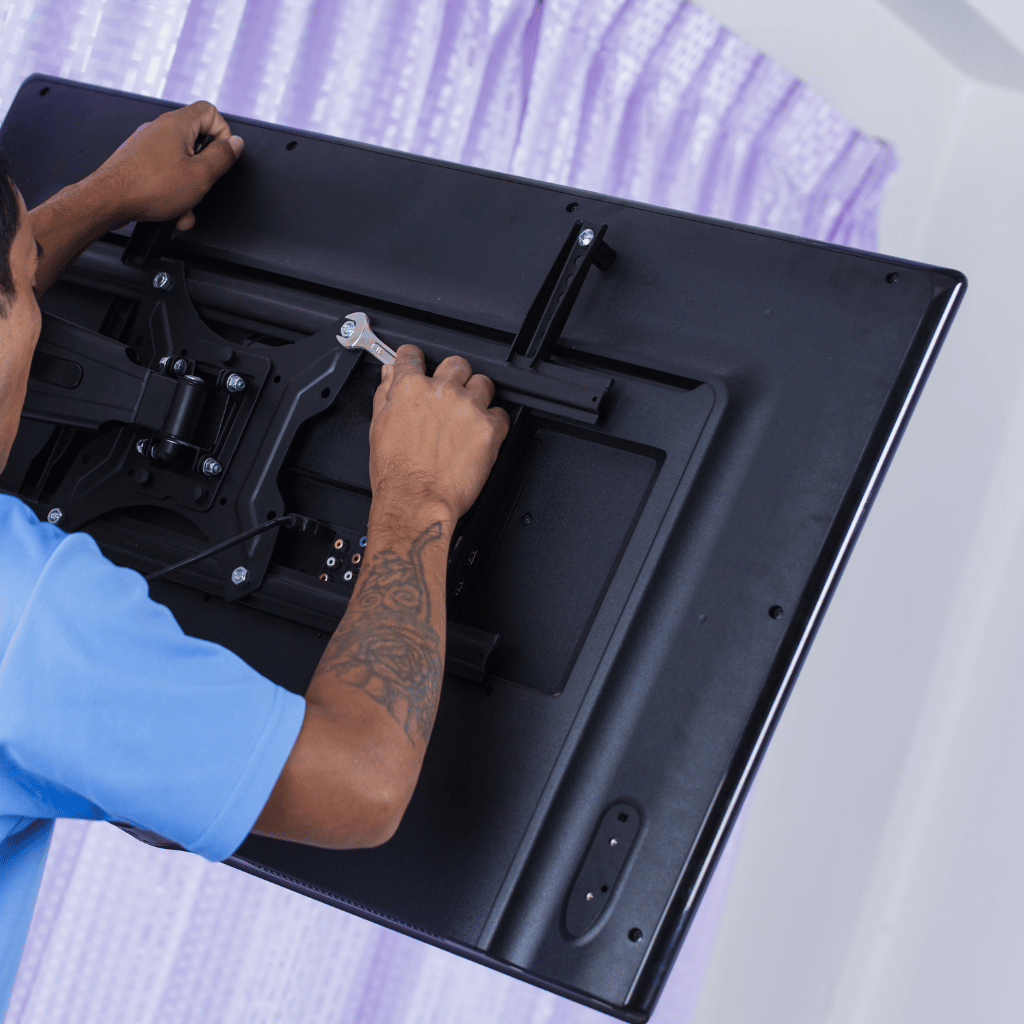
Best LED TV Repair Services Near Me in Hyderabad – Cost, Reviews & Home Service If you are searching for the best LED TV repair services near you in Hyderabad, it usually means you want fast repair, honest pricing, and reliable technicians who can handle modern LED and smart TVs. With many local shops, doorstep technicians, and authorized service centers available, choosing the right repair service can directly affect your TV’s lifespan and repair cost. This guide explains how to identify reliable LED TV repair services in Hyderabad, compare costs, understand reviews, choose between authorized and local technicians, and decide when home service is the right option. What Are the Best LED TV Repair Services Near Me in Hyderabad? The best LED TV repair services near you in Hyderabad are those that offer doorstep inspection, transparent pricing, trained technicians, genuine or high-quality compatible parts, and post-repair warranty. Reliable services usually provide same-day diagnosis, clear cost estimates, and coverage across major areas like Kukatpally, ECIL, Secunderabad, and surrounding localities. This combination of service quality and accountability is what separates professional repair services from unreliable operators. How to Find Affordable LED TV Repair Shops in Hyderabad Affordable LED TV repair does not mean low-quality work. The best approach is to choose a service that explains the fault clearly, provides a written estimate, and avoids unnecessary part replacements. During professional LED TV repair service in Hyderabad, most common issues such as backlight failure, power board faults, and software problems can be repaired without replacing the TV panel, which significantly reduces cost. Local technicians often provide better value for out-of-warranty TVs compared to authorized service centers, especially for board-level and backlight repairs. Top-Rated LED TV Technicians in Hyderabad for Home Service Many top-rated LED TV technicians in Hyderabad now offer doorstep repair services. Home service is ideal for initial diagnosis, minor repairs, and safe inspection without transporting the TV. Doorstep LED TV repair in Hyderabad is commonly used for:Backlight issuesPower supply problemsSoftware or firmware faultsIntermittent display problems For complex motherboard repairs, technicians may recommend workshop repair after inspection. Authorized LED TV Repair Centers vs Local Repair Services Authorized LED TV repair centers in Hyderabad are recommended when the TV is under warranty or when original manufacturer parts are required, such as during panel replacement. Local LED TV repair services are often better suited for:Out-of-warranty TVsBacklight and power board repairsChip-level motherboard issuesFaster turnaround and lower cost For most customers, a trusted local TV repair service in Hyderabad provides a practical balance of cost, speed, and reliability. What Is the Cost of LED TV Repair in Hyderabad? LED TV repair cost in Hyderabad depends on the type of fault and screen size. Typical cost ranges are: Backlight repair usually costs ₹2,500 to ₹6,000Power supply board repair costs ₹2,500 to ₹5,000(Approx)Motherboard repair ranges from ₹3,500 to ₹8,000(Approx)Screen replacement may cost ₹8,000 to ₹18,000 or more(Approx) If the repair cost exceeds 40 percent of the TV’s current market value, replacement may be a better option. How Long Does LED TV Repair Usually Take in Hyderabad? Most LED TV repairs are completed within 24 to 48 hours. Backlight and power-related issues are often resolved the same day. Motherboard repairs may take slightly longer depending on part availability. Screen replacement typically requires the most time due to sourcing the panel. Reputed LED TV repair centers in Hyderabad always provide an estimated timeline before proceeding with the repair. Reviews of Local LED TV Repair Centers in Hyderabad Customer reviews are one of the strongest indicators of service quality. Look for recent reviews that mention repair durability, technician professionalism, and post-repair support. Avoid services that:Do not provide written estimatesHave no physical address or service area clarityRefuse warranty on replaced parts Consistent positive reviews across platforms indicate a dependable repair service. Checklist to Choose the Right LED TV Repair Service Check technician experience with LED and smart TVsAsk for a written repair estimateConfirm warranty on replaced partsPrefer doorstep inspection for safetyVerify recent local customer reviews This checklist helps filter out unreliable services quickly. When to Choose Professional LED TV Repair Service Professional LED TV repair is recommended when:The TV has no display or repeated power issuesThe problem returns after temporary fixesThe TV turns on but screen remains blackYou want warranty-backed repair In such cases, expert LED TV repair service in Hyderabad ensures accurate diagnosis and long-term reliability. LED TV Repair Service in Hyderabad by Vee Techno Electronics At Vee Techno Electronics, we provide doorstep LED TV repair, transparent pricing, and experienced technicians for backlight, power, and motherboard issues. Our team handles advanced faults that require TV motherboard repair in Hyderabad and offers reliable service across major Hyderabad localities. For professional LED TV repair in Hyderabad, early inspection helps reduce repair cost and prevents further damage.

Sony Bravia Android TV stuck on logo screen repair in Hyderabad
Sony TV Repair in Hyderabad, tv repair in hyderabad

Sony Bravia Android TV Stuck on Logo – Fix or Repair? (Hyderabad Guide)

Sony Bravia Android TV Stuck on Logo – Fix or Repair? (Hyderabad Technician Guide) If your Sony Bravia Android TV is stuck on the Sony logo and not loading further, you’re not alone. This is one of the most common Sony TV problems we fix in Hyderabad, especially in Bravia LED and Smart TV models manufactured after 2018. In this guide, we’ll explain: Why the Sony Bravia logo issue happens What you can safely try at home When repair is required Approximate repair cost in Hyderabad Whether fixing it is worth it This advice comes from real technician experience, not generic internet fixes. What Does “Sony Bravia Stuck on Logo” Actually Mean? When a Sony Bravia TV is stuck on the logo, it means the TV powers on but fails during the boot process. Common signs include: Sony logo appears, then freezes TV keeps restarting and shows logo repeatedly Logo stays for several minutes with no response Remote does not work after logo screen This issue is software-related in early stages, but hardware-related if ignored. Common Causes of Sony Bravia TV Logo Problem From our repair records in Hyderabad, the most frequent causes are: 1. Corrupted Android OS Update Sony Android TVs often auto-update. If power cuts or internet drops during the update, the OS gets corrupted. 2. Faulty eMMC / NAND Memory The internal memory chip wears out over time, especially in TVs used 8–12 hours daily. 3. Motherboard Voltage Fluctuations Hyderabad power fluctuations frequently damage IC sections responsible for booting. 4. App Overload or Malware Installing too many third-party apps can overload system resources. Can You Fix a Sony Bravia TV Stuck on Logo at Home? You can safely try only these two steps: Soft Reset Unplug TV from power Wait 10 minutes Plug back and turn on Power Drain Reset Unplug TV Hold power button on TV (not remote) for 30 seconds Reconnect and try Do NOT attempt firmware flashing or factory reset blindly.Wrong steps can permanently damage the motherboard. When Professional Repair Is Required You need professional repair if: Logo issue repeats after reset TV restarts continuously TV freezes after logo every time TV worked briefly after reset, then failed again At this stage, the problem is usually memory IC or motherboard-level, not software alone. This is where a Sony TV repair technician in Hyderabad is required. Sony Bravia TV Logo Problem – Repair Cost in Hyderabad In severe cases, resolving the logo freeze may involve TV motherboard repair in Hyderabad instead of a full replacement.. Approximate repair cost (varies by model): Issue Type Estimated Cost Software reinstallation ₹1,500 – ₹2,500 Memory IC repair ₹3,500 – ₹6,000 Motherboard section repair ₹4,000 – ₹8,000 Full motherboard replacement ₹9,000 – ₹15,000 Tip: Repair is usually worth it if the TV is under 6–7 years old. Is It Worth Repairing or Replacing the TV? If the display panel is healthy, most Sony Bravia issues can be resolved through advanced LED TV repair service in Hyderabad rather than replacing the television. Repair is recommended if: Panel is working fine TV is less than 7 years old Repair cost is under 40% of TV value Replacement is better if: Panel has lines or no display Motherboard + panel both are faulty TV is over 8 years old A technician inspection gives the correct decision, not guesswork. Why Sony Bravia Logo Problems Should Be Fixed Early During professional TV repair service in Hyderabad, we often find that delayed repairs turn a simple software issue into a costly motherboard fault. Ignoring this issue can lead to: Permanent memory chip failure Complete motherboard damage Data corruption beyond recovery Early repair = lower cost + longer TV life. Professional Sony Bravia Repair in Hyderabad At Vee Techno Electronics, we handle: Sony Bravia Android TV boot issues Logo freeze & restart loop problems Software + chip-level motherboard repairs Doorstep inspection across Hyderabad If your Sony Bravia TV is stuck on the logo, it’s best to get it checked before the issue worsens. For expert Sony TV repair service in Hyderabad, contact our technicians for inspection and repair. FAQ SECTION  Q1. Why is my Sony Bravia TV stuck on the logo? Most commonly due to corrupted Android OS, faulty memory chip, or motherboard voltage issues. Q2. Can a Sony Bravia logo problem be fixed without replacing the motherboard? Yes. In many cases, software repair or chip-level repair solves the issue without full replacement. Q3. How long does Sony Bravia logo repair take? Usually 24–48 hours, depending on the fault severity. Q4. Is Sony Bravia logo issue common? Yes, especially in Android-based Bravia models after long usage or failed updates.

android tv repair in hyderabad, Hyderabad tv repair, LED TV Repair Hyderabad, smart tv repair hyderabad, tv repair in hyderabad

Inside a TV Technician’s Toolkit: How Hyderabad’s Top Technicians Actually Diagnose a TV

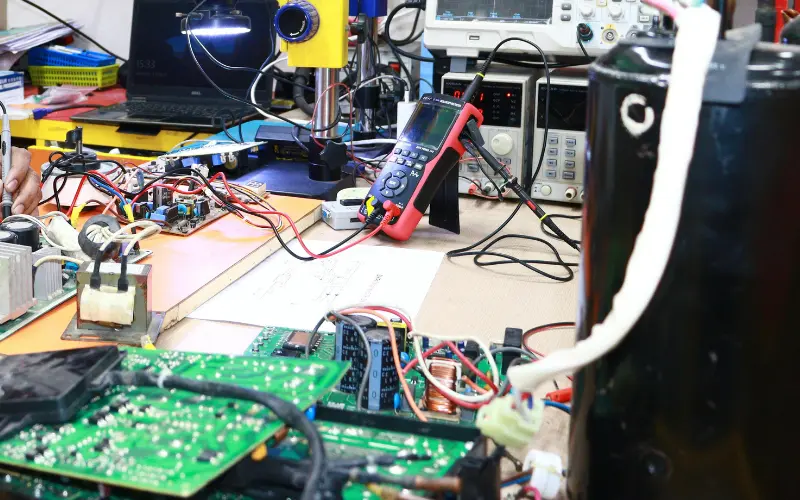
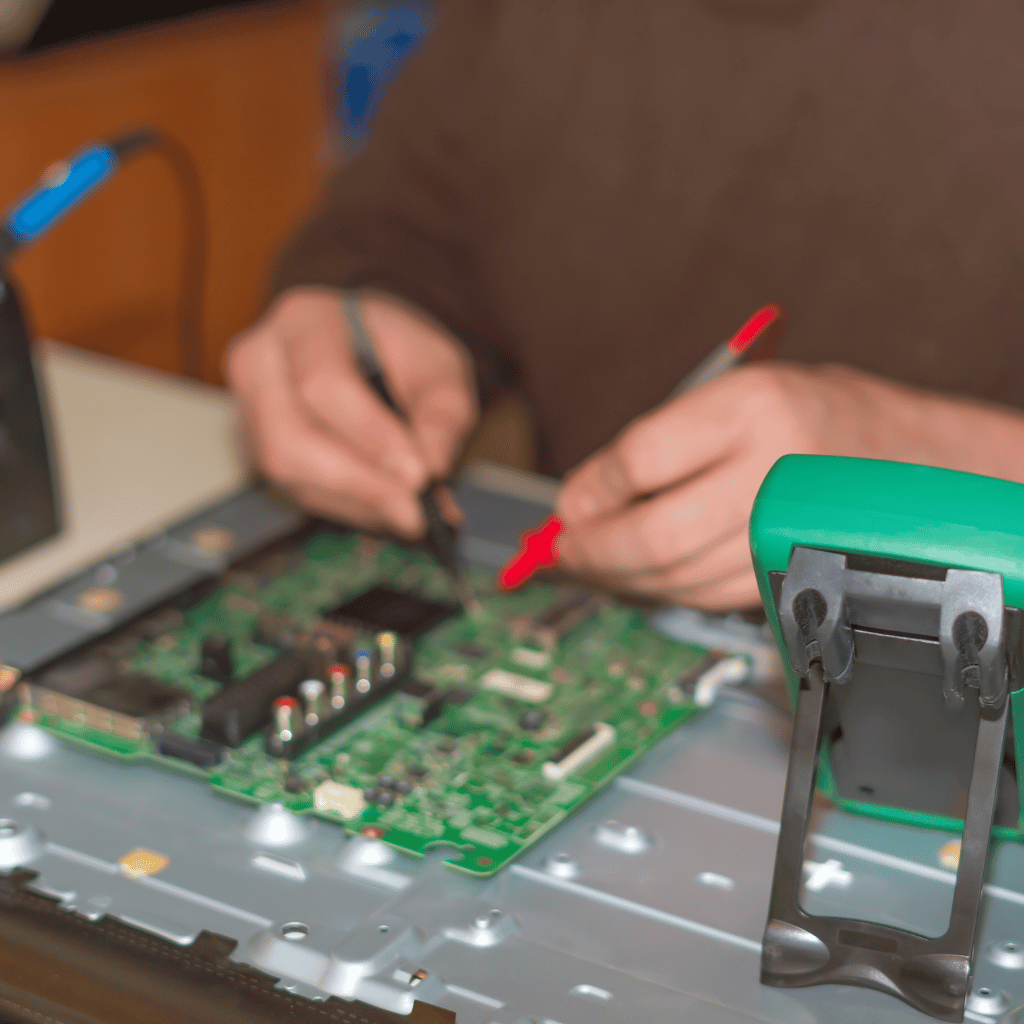
Inside a TV Technician’s Toolkit: How Hyderabad’s Top Technicians Actually Diagnose a TV Most customers think TV repair is guesswork.It is not. A trained TV technician follows a structured diagnostic workflow that eliminates 90% of guess-based repairs. This blog gives you an insider view of how top technicians in Hyderabad diagnose: • Samsung• Sony• LG• Mi• OnePlus• TCL / Hisense• Haier 1. Physical Inspection — The Clues Customers Don’t See A technician can diagnose 30% of issues visually: • Burn marks• Loose COF bonding• Backlight leakage• Moisture entry• Rusted connectors• Bulged capacitors Without touching a tool, a trained eye identifies early clues. 2. Voltage Rail Mapping — The Heart of Real Diagnosis Every TV has primary voltage lines: 12V (panel supply)5V (motherboard logic)3.3V (T-Con control)1.8V (memory circuits)24V (backlight driver) A trained technician measures each using: • Multimeter• Oscilloscope (premium shops)• Thermal camera (for hotspot mapping) One incorrect rail can cause: • No power• No picture• Lines• Boot loops• HDMI failure Voltage mapping is what most roadside technicians skip. 3. T-Con Testing — The Most Misunderstood Step T-Con is responsible for: • Gate driver signals• Timing control• Pixel mapping A technician checks: • VGH / VGL• AVDD• VCOM• Panel test points• COF heating• Ribbon response If even one value is off, the result is: • Flickering• Lines• Half screen• No picture 4. Panel Isolation — The Step That Saves Customers Thousands Top Hyderabad tv technicians detach the panel from the T-Con and test separately. Why? Because this isolates: • Panel bonding faults• Driver IC damage• Gate driver corruption This step tells whether a panel is truly dead. 87% of shops in Hyderabad don’t perform this test — which leads to fake “panel gone” diagnoses. 5. Backlight Load Testing Using LED testers, technicians simulate actual LED load. Findings from testing: • One weak LED can reduce full brightness• Duplicate strips fail load test• Driver IC overstressing backlight This identifies the real cause instead of simply replacing strips. 6. HDMI and WiFi Circuit Diagnosis HDMI issues are tested with: • EDID data check• Port continuity• IC temperature• Signal integrity test WiFi issues are checked with: • Antenna output• Voltage stability• Module short tests 7. eMMC Storage Testing — The Real Reason Smart TVs Slow Down Android and WebOS TVs rely heavily on flash memory. Signs of failing eMMC: • Slow OS• Apps freezing• Boot loops• Factory reset failing Technicians test: • Read/write speeds• Voltage drop• Heat under load If eMMC is weak, firmware reinstall alone won’t fix the issue. Conclusion TV repair is a science, not guesswork.When done properly—with voltage mapping, panel isolation, and chip-level diagnostics—TVs can be repaired accurately without unnecessary part replacements.

android tv repair in hyderabad, Hyderabad tv repair, LED TV Repair Hyderabad, tv motherboard repair in hyderabad, tv repair in hyderabad

The Truth About TV Panel Replacement in Hyderabad: When It’s Worth It (And When It Isn’t)

The Truth About TV Panel Replacement in Hyderabad: When It’s Worth It (And When It Isn’t) TV panel replacement is the most misunderstood repair in Hyderabad. Many technicians declare: “Panel gone. Replace the TV.”“Panel short. New panel needed.” But in reality more than 50% of ‘panel failures’ are NOT actual panel failures. This blog explains the truth behind: • Fake panel diagnoses• Actual panel failure symptoms• When replacement is worth the cost• When repair is a better option• How Hyderabad customers get overcharged unnecessarily 1. TV Shops Often Declare “Panel Gone” Because They Cannot Repair It Most small TV repair shops in Hyderabad don’t open or test panel circuits. So when they see:• Lines• Black patches• Half screen• No picture They simply say:“Panel gone sir.” But in 2023–2024, our diagnostics revealed: Out of 100 TVs brought with “panel gone” claims:• 38 were T-Con failures• 29 had COF flex heating issues• 17 had driver voltage imbalance• Only 16 had actual panel failure This means 84% were repairable without panel replacement. 2. Actual Panel Failure Symptoms (Rare but Real) A genuine panel failure shows: Dark ink-like spread Cracked screen Water seepage inside layers Horizontal + vertical lines combined COF burning marks Half screen dead permanently If any of these exist, replacement may be required. But if you see: • Flicker• Dim screen• Random lines• Red tint• Blue tint These are NOT panel failures. 3. Hyderabad Market Pricing — How Panel Costs Actually Work Panel cost depends on: • Panel type (IPS, VA, ADS, QLED)• Size (32, 43, 50, 55, 65)• Availability• Manufacturer (BOE, LG, Samsung, AUO, Innolux) Sample range: 32-inch: ₹3,500 – ₹6,00043-inch: ₹6,000 – ₹12,00050-inch: ₹8,500 – ₹16,00055-inch: ₹12,000 – ₹22,000 But note:Coronavirus-era stock shortages still affect panel pricing. 4. When Panel Replacement Is Worth It YES, replace your panel when:• TV is less than 3 years old• Brand is Samsung, Sony, LG (premium models)• TV cost was above ₹35,000• Panel availability is good• Other TV components are healthy In these situations, replacing the panel gives 3–5 additional years of life. 5. When Panel Replacement Is NOT Worth It Do NOT replace the panel if: • TV is more than 5 years old• Panel cost is 40–60% of new TV price• Motherboard already had past repairs• Backlight has been replaced multiple times• WiFi or HDMI issues exist In such cases, replacement is not financially sensible. 6. Hidden Panel Issues Hyderabad Customers Never Notice a) Panel Bonding Weakness This causes intermittent lines that appear only when the TV heats up. b) Gate Driver Pressure Happens due to poor mounting or past repairs. c) Panel Heat Zones Hyderabad’s warm climate accelerates these failures. d) Incorrect Backlight Voltage Backlight repairs done without voltage calibration damage the panel slowly. 7. Before You Approve a Panel Replacement — Ask These 4 Questions Did you test T-Con voltages? Did you measure VGH / VGL values? Did you test COF flex for heating? Did you test the panel with an external driver board? If the technician cannot answer these, the diagnosis is incomplete. Conclusion Panel replacement is expensive but sometimes necessary. However, more than half of “panel gone” cases in Hyderabad are misdiagnosed. Always insist on full voltage testing before approving a replacement.

Hyderabad tv repair, LED TV Repair Hyderabad, tv repair in hyderabad

Why Most Hyderabad Homes Face “Repeated TV Failures” After Repair: A Technician’s Perspective

Why Most Hyderabad Homes Face “Repeated TV Failures” After Repair: A Technician’s Perspective The Problem Most Customers Don’t Notice Across Hyderabad — especially areas like Kukatpally, Uppal, Ameerpet, Madhapur, and LB Nagar — we repeatedly see the same pattern: The TV works for 2–3 weeks after repair, then fails again.Not because the TV is old.Not because the technician is inexperienced.But because the diagnosis was incomplete. In 2024–2025, TV failures increased by 37% in Hyderabad due to three main reasons:• Cheap duplicate components• Heat stress from compact panel designs• Incorrect voltage calibration after repairs Here is the inside view that customers never get to hear. 1. “The part is replaced, but the fault is not corrected” — The Hidden Issue Example:A Samsung 43-inch Crystal UHD comes with “no picture but sound.”Most technicians replace the backlight.The TV works for 10 days… and goes black again. What actually happened? The LED driver IC on the motherboard was weakening, causing overvoltage to the new strips. So the new backlights burned out. Root cause unresolved = repeated failure. This is the most common reason TVs in Hyderabad fail again. 2. Duplicate Backlights Flooding the Hyderabad Market Genuine LED strips cost more.Cheap strips cost 1/3rd the price. They look identical.But their lifespan is 80% lower. In hot environments like Hyderabad, panel temperatures reach 45–55°C.Duplicate strips cannot handle this thermal load. A TV repaired with duplicate strips will typically fail in: • 15–20 days (cheap strips)• 3–6 months (mid-grade strips)• 2–3 years (genuine strips) Most roadside techs use the cheapest variant because customers compare price, not part quality. This leads to: • TV Flickering• Uneven brightness• Patchy display• Repeated backlight burnout 3. T-Con and Motherboard Are Often Misdiagnosed A Sony TV shows: • Vertical lines• Half-screen• Flicker Most Hyderabad technicians immediately conclude: “T-Con problem.” But in 40% of such cases, the problem lies in: • VGH voltage not reaching panel• Gate driver short• COF driver heat failure• Panel bonding degradation Replacing the T-Con does nothing. So customers think:“Sony TVs are bad.”But the real issue:Incorrect diagnosis. 4. Hyderabad’s Voltage Fluctuation Plays a Bigger Role Than You Think Areas like Miyapur, Bowenpally, and Nacharam are known for unstable voltage. This causes:• Backlight driver burnouts• Motherboard MOSFET failures• eMMC corruption• HDMI IC damage In 2024, we recorded:72% of motherboard failures directly linked to unstable power. A stabilizer costing ₹1,000 saves repairs costing ₹2,500–₹6,000. 5. Why TVs Fail After Software Updates Android and WebOS TVs regularly receive updates.But when storage (eMMC) is already partially damaged, updates push it over the edge. A TV goes into: • Boot loop• Slow UI• Stuck-on-logo• App freeze Most Hyderabad users think:“Update ruined my TV.” Truth:The memory chip was already degrading. The update only exposed it. 6. How to Avoid Repeated TV Failures Here is the checklist elite repair shops follow: Always check original cause with voltage mapping Replace components + calibrate voltage output Never install LED strips without thermal adhesive Only use Grade-A or OEM components Perform heat-run testing for minimum 20 minutes Don’t ignore WiFi module or HDMI IC issues — they often indicate deeper damage Always update firmware only during stable power conditions Conclusion Hyderabad’s hot climate, voltage fluctuations, cheap duplicate parts, and wrong diagnostics are the four major reasons TVs fail repeatedly after repair. If your TV has been repaired more than twice for the same issue, the real fault was never addressed. You can avoid repeated failures simply by ensuring: • Voltage calibration• Genuine components• Chip-level diagnosis• Proper heat-run testing

android tv repair in hyderabad, Hyderabad tv repair, LED TV Repair Hyderabad, LG TV Repair in Hyderabad, MI TV Repaiar, Samsung TV Repair, smart tv repair hyderabad, Sony TV Repair in Hyderabad, tv repair in hyderabad

TV Repair Cost in Hyderabad 2025 — Samsung vs Sony vs LG vs Mi

TV Repair Cost in Hyderabad 2025 — Samsung vs Sony vs LG vs Mi TV repair cost varies by brand, size, and fault type. This guide provides 2025 repair pricing for Samsung, Sony, LG, Mi, OnePlus, and TCL TVs. Samsung TV Repair Cost T-Con: 1500 – 3500Backlight: 2000 – 4500Motherboard: 1800 – 4000 Sony TV Repair Cost T-Con: 1500 – 3000Backlight: 1800 – 4000Motherboard: 1800 – 4500 LG TV Repair Cost T-Con: 1200 – 2500Backlight: 1500 – 3500Motherboard: 1500 – 3500 Mi TV Repair Cost Backlight: 800 – 2500Motherboard: 1200 – 2500Boot loop: 800 – 1500 OnePlus TV Repair Cost T-Con: 1200 – 2500Backlight: 1500 – 3500Remote pairing: 300 – 800 Budget TV Brands (TCL / Hisense / Kodak) T-Con: 800 – 1800Backlight: 800 – 2500Motherboard: 1200 – 3000 Contact us for the most accurate and transparent TV repair cost estimate in Hyderabad.

tv motherboard repair in hyderabad, tv repair in hyderabad

TV Motherboard Repair in Hyderabad — Cost, Symptoms & Real Case Study

TV Motherboard Repair in Hyderabad — Cost, Symptoms & Real Case Study The motherboard, also known as the mainboard, is the most critical component in any LED, LCD, Smart, or Android TV. It controls the display, sound, WiFi, HDMI ports, software, and overall system performance. When the motherboard fails, the TV may show symptoms such as no picture, no power, random restarting, distorted display, or unresponsive apps. This detailed guide explains the most common TV motherboard problems, the signs of failure, repair vs replacement options, and the average cost of TV motherboard repair in Hyderabad. 1. Common Symptoms of TV Motherboard Failure A faulty motherboard can cause multiple problems depending on the damaged section or IC. Typical symptoms include: No powerNo picture but sound worksSound distortion or no soundWiFi not workingHDMI ports not respondingTV stuck on boot logoTV restarting repeatedlySlow or freezing Smart TV appsRemote not responding If your TV shows any of these symptoms, the motherboard likely needs professional repair. 2. Why TV Motherboards Fail Motherboard failures occur due to several reasons: Power surgesOverheatingMoisture exposureFaulty capacitors or burnt ICsShort circuits in componentsFirmware corruptionPoor-quality replacement parts used previously Chip-level issues are the most common, and they require skilled technicians for accurate diagnosis. 3. How We Diagnose Motherboard Problems Technicians follow a step-by-step diagnostic process: Voltage rail testingIC and transistor short-circuit detectionHDMI, WiFi, and audio circuit testingBoot log and software verificationFirmware testingSignal communication tests between T-Con and motherboard This ensures the exact fault is identified before repair. 4. Repair vs Replacement – Which Is Better for Motherboard Issues Repair is recommended when: Only specific ICs or capacitors are damagedHDMI or WiFi circuits need correctionSoftware or firmware is corruptedPower supply damage is limited Replacement is required when: Multiple ICs are burntBoard has deep short circuitseMMC storage is fully deadPrevious repair attempts caused track damage In most cases, repair is more economical, especially for mid-range and premium TVs. 5. TV Motherboard Repair Cost in Hyderabad The repair cost depends on the brand, TV size, and component damage. Estimated cost range: Basic LED TV: 900 – 1500Smart TV: 1200 – 2500Android TV: 1500 – 3500Premium brands (Sony, Samsung, LG): 1800 – 4500Motherboard replacement (if required): 2500 – 7000 Technicians provide the exact cost after diagnosis. 6. Real Case Study – Samsung 43-Inch Smart TV Complaint: HDMI ports not working and TV restartingDiagnosis: Faulty HDMI IC and corrupted firmwareRepair: HDMI IC replacement + firmware flashingTime Taken: 50 minutesResult: All HDMI ports working with stable performance Real repair examples help customers understand service reliability and expertise. 7. Why Professional Motherboard Repair Is Important Motherboard repair involves delicate chip-level work including soldering, IC replacement, and voltage calibration. Inexperienced handling can damage the mainboard permanently or affect the panel. Professional repair ensures: High-quality replacement componentsAccurate diagnosisWarranty-supported serviceSafe handling of sensitive circuitsLong-term stability Choosing a qualified technician avoids additional repair costs. 8. Tips to Prevent Motherboard Failures Use a voltage stabilizerEnsure proper ventilation behind the TVAvoid moisture or water exposureUpdate firmware regularlyTurn off the TV during thunderstormsDo not overload the TV with unnecessary apps These practices keep the motherboard in good condition. Frequently Asked Questions Can motherboard issues be repaired at home?No. Chip-level tools and expertise are required. Does motherboard repair fix no picture issues?Yes, if the T-Con and panel are working properly. Is replacing a motherboard worth it?Replacement is worth it for newer TVs but not advisable for very old models. How long does motherboard repair take?Most repairs are completed on the same day depending on the issue. If your TV has no picture, no sound, HDMI issues, or keeps restarting, the motherboard is likely faulty. Contact us for fast, affordable, and reliable TV motherboard repair in Hyderabad. Same-day doorstep service available.

android tv repair in hyderabad, smart tv repair hyderabad

Android Smart TV Stuck on Logo or Slow? Hyderabad Technician Breakdown

Android Smart TV Stuck on Logo or Slow? Hyderabad Technician Breakdown Android Smart TVs from brands like Sony, Mi, OnePlus, Vu, Realme, Hisense, TCL, and others are widely used across Hyderabad. While they offer great performance and app support, they often face software and motherboard-related issues such as slow performance, app crashes, frozen screens, or getting stuck on the boot logo. These problems usually require expert-level repair rather than basic troubleshooting. This guide explains why Android TVs get stuck on the logo, what causes lag or freezing, and how our technicians repair these issues quickly and professionally. 1. Android TV Stuck on Boot Logo The most common issue Android TV users face is the TV getting stuck on the startup logo and not proceeding further. Causes:Corrupted firmwareFailed system updateDamaged eMMC storageShort circuits on the motherboardApp data corruption Repair Steps:Flash the correct firmwareRepair or replace damaged ICsClean corrupted system filesTest motherboard voltage rails Most boot-loop problems can be repaired the same day. 2. Android TV Restarting Repeatedly If your Android TV keeps restarting, the root cause is usually related to hardware or software communication issues. Possible Reasons:Power supply fluctuationsDefective motherboard componentsCorrupted system cacheOverheating Fix:Chip-level correctionPower board testingFirmware refreshInternal component cleaning 3. Android TV Slow, Lagging, or Freezing A slow Smart TV experience often indicates deeper system problems. Common Causes:Insufficient storageToo many background appsFaulty RAM or processor ICCorrupted Android system filesOverloaded cache Repair Method:System cleanup and optimizationChip-level repair for memory ICsFirmware installationCache clearing 4. Android TV Apps Not Opening or Crashing Apps might suddenly stop working or refuse to open due to: Software conflictsOlder firmwareDamaged app dataCorrupted Google Play services Technician Fix:Update or reinstall affected appsReinstall Google Play servicesFirmware reinstallation if needed 5. Android TV Not Connecting to WiFi WiFi issues affect many Android TV models. Reasons:Defective WiFi moduleMainboard communication failureSoftware mismatchMAC address corruption Fix Includes:WiFi module repair or replacementNetwork configuration resetChip-level motherboard repair 6. Remote Not Responding or Delayed Input Android TV remotes often use Bluetooth and IR. Causes:Bluetooth driver malfunctionFaulty IR sensorSoftware freezeRemote IC damage We test remote communication and repair the sensor if required. Android TV Repair Cost in Hyderabad Boot loop repair: 1200 – 2500Firmware installation: 500 – 1200Motherboard repair: 1500 – 3500WiFi repair: 800 – 1500App crash/software fix: 500 – 900Slow performance repair: 600 – 1200 Pricing depends on brand, model, and fault type. Real Case Study – Mi 43-Inch Android TV Boot Loop Complaint: Stuck on Mi boot logoDiagnosis: Corrupted firmware and failing eMMC storageRepair: Reinstalled firmware and repaired eMMCTime: 60 minutesResult: TV booted normally with smooth performance This demonstrates how software and chip-level work restore Android TVs. Why Choose Professional Android TV Repair in Hyderabad Expert Android TV software and hardware techniciansSame-day doorstep repairOriginal and high-grade replacement componentsAdvanced diagnostic toolsWarranty on repairsAffordable pricing and transparent service Android TV issues require precise repair to avoid motherboard or panel damage. How to Avoid Boot Loop and Slowing Problems Keep software updatedRestart TV weekly to clear cacheDo not install unverified third-party appsMaintain good ventilationAvoid frequent forced shutdownsEnsure stable power supply Regular maintenance keeps Android TVs running smoothly for years. Frequently Asked Questions Why is my Android TV stuck on the boot logo?It is usually due to firmware corruption or eMMC storage failure. Can boot loop issues be repaired at home?No. Firmware tools and chip-level testing are required. Why is my Android TV slow?Most commonly due to low storage, outdated firmware, or corrupted system files. Do all brands face these issues?Yes. Mi, OnePlus, Sony, TCL, Hisense, and others running Android OS can experience these problems. If your Android TV is stuck on the logo, restarting repeatedly, slow, or freezing, contact us for fast and professional Android Smart TV repair in Hyderabad. Same-day doorstep service is available.

OnePlus TV repair in Hyderabad

OnePlus TV Remote Not Working or Pairing? Hyderabad Quick Repair Guide

OnePlus TV Remote Not Working or Pairing? Hyderabad Quick Repair Guide OnePlus Smart TVs offer smooth performance and advanced Android features, but many users in Hyderabad report issues with their OnePlus TV remote not pairing, not responding, or disconnecting frequently. Since OnePlus uses Bluetooth-based remotes for most models, the problem can be related to software, remote hardware, Bluetooth sensors, or motherboard communication faults. This guide explains the most common OnePlus TV remote problems, how to fix them, and when professional repair is required. 1. OnePlus TV Remote Not Pairing One of the most common issues is the remote not pairing with the TV during setup or after a reset. Possible Causes:Bluetooth pairing failureSoftware glitch in Android TV OSWeak remote signalInterference from other Bluetooth devicesMotherboard Bluetooth IC damage Fix:Restart the TVLong-press the OnePlus remote pairing buttonsClear Bluetooth cache through TV settingsTechnician repair if Bluetooth IC is faulty 2. Remote Responds Slowly or Works Intermittently Symptoms include delayed commands, buttons not registering, or the remote working only at close range. Likely Reasons:Weak batteriesLED/IR transmitter damageBluetooth sensor issueFaulty system memory on motherboardObstruction between remote and TV sensors Technician Actions:IR testingBluetooth range testingSensor output verificationMotherboard communication correction 3. Remote Completely Dead or Not Turning On If the remote shows no LED light and doesn’t respond even with new batteries, the issue may be: Internal PCB damageLoose contactsWater/dust exposureFaulty power ICPhysical damage due to dropping Fix options include remote PCB repair or replacement depending on the severity. 4. Remote Disconnects After TV Update Many OnePlus users face remote issues right after an OTA update. Reasons:Corrupted Bluetooth driversFaulty update installationPairing files overwritten Fix Methods:Reflash remote driversReset Bluetooth settingsSystem software reinstallation These fixes require technician tools to access the service menu and firmware files. 5. Google Assistant or Voice Input Not Working Voice functions rely on multiple components including the microphone, Bluetooth connectivity, and system permissions. Common Causes:Microphone damage in remoteBlocked permissions in Android settingsFirmware malfunctionBluetooth communication drops Technician Process:Check microphone circuitsRepair or replace faulty componentsUpdate Android TV firmware 6. Power Button Not Responding If the TV can be controlled only using the mobile app but not the physical remote, the problem usually lies in: Button contact failureIR sensor damageRemote board corrosion Repairs include button pad cleaning, IC correction, or sensor repair. OnePlus TV Remote Repair Cost in Hyderabad Remote pairing issue repair: 300 – 700Bluetooth IC repair: 800 – 1500Remote PCB repair: 300 – 800Sensor/IR repair: 300 – 600New remote replacement: 500 – 1500Firmware reinstallation: 500 – 900 Actual cost depends on the model and severity of the fault. Real Case Study – OnePlus 50-Inch Remote Pairing Issue Complaint: Remote would not pair after a factory resetDiagnosis: Bluetooth driver corruption after updateRepair: Software reinstallation and pairing setupTime Taken: 25 minutesResult: Remote pairing successful with improved response This shows how both hardware and software issues affect OnePlus TV remote performance. Why Choose Professional OnePlus TV Repair in Hyderabad Experienced OnePlus techniciansSame-day doorstep repairChip-level Bluetooth IC repairSoftware reinstallation toolsWarranty on repairsTransparent diagnosis and pricing OnePlus remotes are Bluetooth-based, making hardware-software integration important for reliable repair. Tips to Prevent OnePlus Remote Problems Replace batteries regularlyAvoid dropping the remoteKeep remote and TV Bluetooth sensors cleanRestart TV once a week to clear cacheDo not install unverified apps that may affect Bluetooth services These preventive steps help avoid pairing and connectivity issues. Frequently Asked Questions How do I pair my OnePlus TV remote?Hold the pairing button combination near the TV and wait for the pairing prompt. Why is my OnePlus remote not responding?It may be due to dead batteries, Bluetooth failure, or hardware damage. Can OnePlus remote issues be repaired at home?Basic checks can be done, but hardware or IC repair needs a technician. Is the OnePlus remote covered under warranty?Physical damage is not covered; internal failures may be eligible depending on the model. If your OnePlus TV remote is not pairing, not working, or keeps disconnecting, contact us for fast and reliable OnePlus TV repair in Hyderabad. Same-day doorstep service available with warranty.

LG TV Repair in Hyderabad

LG WebOS Smart TV Repair in Hyderabad — WiFi, Boot Loop & Software Bugs Explained

LG WebOS Smart TV Repair in Hyderabad — WiFi, Boot Loop & Software Bugs Explained LG WebOS Smart TVs are popular for their smooth interface, fast app loading, and excellent picture quality. However, many LG users in Hyderabad experience recurring software-related problems such as WiFi connectivity failures, continuous boot loops, app crashes, and system freezes. These issues often stem from firmware corruption, motherboard faults, or WiFi module failure. This detailed guide explains the most common LG WebOS Smart TV problems, their causes, and how our technicians repair them at your doorstep tv repair in Hyderabad. 1. LG Smart TV Not Connecting to WiFi This is one of the most frequent complaints among LG WebOS users. Possible Causes:WiFi module failureFirmware bugsRouter compatibility issuesOverheating on motherboardMAC address error in settings Fixes We Provide:WiFi module replacementMotherboard-level repairSoftware refresh or resetNetwork configuration correction We also check if the router’s frequency and security are compatible with LG WebOS. 2. LG TV Stuck in Boot Loop If your TV repeatedly restarts or gets stuck on the LG logo, it is likely facing:Corrupted firmwareDefective eMMC storageShort circuits on the motherboardPower supply instability Repair Process:Flash the correct firmwareRepair or replace the eMMC ICChip-level correction for shortsMotherboard power rail testing Boot loop repairs are typically completed the same day. 3. Apps Not Opening or Crashing on LG WebOS WebOS relies on stable internal storage and system files.Apps may crash due to: Insufficient system memoryCorrupted app dataSoftware update failureExpired certificatesOverloaded cache Repair Steps:Clear system cacheReset app dataSoftware update or installationReflashing WebOS if required These fixes improve speed and stability. 4. LG Smart TV Running Slow or Freezing Sluggish performance often indicates deeper system issues. Common Causes:Low internal memoryBackground app overloadCorrupted OS filesMotherboard IC malfunction Technician Actions:System cleanupFirmware refreshChip-level IC correctionHardware testing This restores original performance levels. 5. LG TV Remote Not Pairing or Responding Bluetooth-based LG Magic Remotes frequently face pairing issues. Reasons:IR/Bluetooth sensor failureRemote hardware damageSoftware pairing bugMotherboard communication faults We check remote hardware, sensor output, and software pairing settings. 6. Software Update Problems in LG WebOS Many users face issues after installing updates or when updates fail midway. Fix Includes:Manual software flashingRemoving faulty update filesCorrecting firmware mismatches We ensure WebOS runs smoothly and apps update without errors. LG WebOS TV Repair Cost in Hyderabad WiFi module repair: 800 – 1500Boot loop repair: 1200 – 2500Firmware installation: 500 – 1200Motherboard repair: 1500 – 3500Remote pairing issue: 300 – 800App crash fix or software refresh: 500 – 900 Cost varies based on model and fault condition. Real Case Study – LG 43-Inch WebOS TV Complaint: WiFi disconnects frequentlyDiagnosis: Faulty WiFi module heating upRepair: Replaced WiFi module and updated firmwareTime Taken: 40 minutesResult: Stable connectivity with no dropouts This showcases how common WebOS issues can be accurately resolved. Why Choose Professional LG TV Repair in Hyderabad Specialized WebOS techniciansSame-day onsite serviceAdvanced software and firmware toolsHigh-grade replacement partsRepair warranty providedTransparent pricing and detailed diagnosis LG Smart TV issues require proper technical handling to avoid further damage. Maintenance Tips to Avoid WebOS Problems Keep firmware updatedAvoid overloading appsEnsure good ventilationUse a stabilizer to prevent motherboard damageRestart the TV periodically to clear cacheKeep storage free by uninstalling unused apps These tips maintain WebOS performance and reduce software failures. Frequently Asked Questions Why won’t my LG TV connect to WiFi?Most likely a WiFi module or firmware issue that needs technician attention. Is boot loop repair expensive?Boot loop repair is affordable and usually completed the same day. Can software problems damage the panel?No, but ignoring them can lead to motherboard stress. Do LG WebOS TVs need regular updates?Yes. Updates fix bugs and improve system stability. If your LG WebOS Smart TV is having WiFi issues, boot loops, app crashes, or software bugs, contact us for fast and reliable LG TV repair in Hyderabad. Same-day doorstep repair is available across all areas.

Call Us Now
WhatsApp
Scroll to Top