
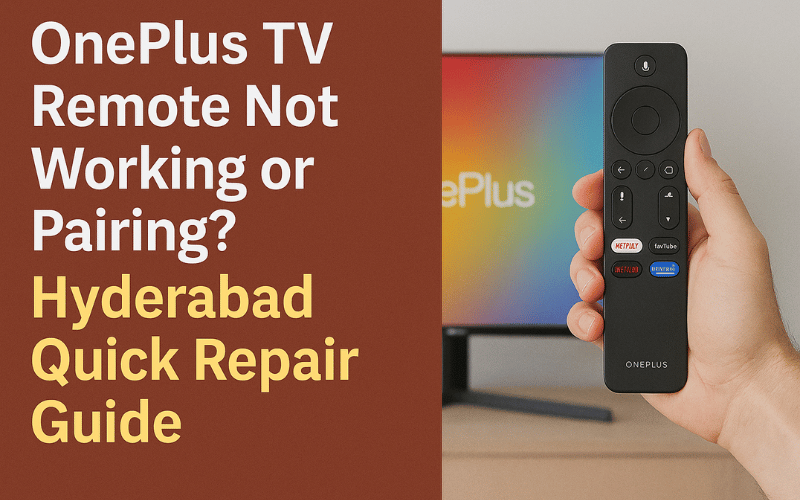
OnePlus TV Remote Not Working or Pairing? Hyderabad Quick Repair Guide
OnePlus Smart TVs offer smooth performance and advanced Android features, but many users in Hyderabad report issues with their OnePlus TV remote not pairing, not responding, or disconnecting frequently. Since OnePlus uses Bluetooth-based remotes for most models, the problem can be related to software, remote hardware, Bluetooth sensors, or motherboard communication faults.
This guide explains the most common OnePlus TV remote problems, how to fix them, and when professional repair is required.
1. OnePlus TV Remote Not Pairing
One of the most common issues is the remote not pairing with the TV during setup or after a reset.
Possible Causes:
Bluetooth pairing failure
Software glitch in Android TV OS
Weak remote signal
Interference from other Bluetooth devices
Motherboard Bluetooth IC damage
Fix:
Restart the TV
Long-press the OnePlus remote pairing buttons
Clear Bluetooth cache through TV settings
Technician repair if Bluetooth IC is faulty
2. Remote Responds Slowly or Works Intermittently
Symptoms include delayed commands, buttons not registering, or the remote working only at close range.
Likely Reasons:
Weak batteries
LED/IR transmitter damage
Bluetooth sensor issue
Faulty system memory on motherboard
Obstruction between remote and TV sensors
Technician Actions:
IR testing
Bluetooth range testing
Sensor output verification
Motherboard communication correction
3. Remote Completely Dead or Not Turning On
If the remote shows no LED light and doesn’t respond even with new batteries, the issue may be:
Internal PCB damage
Loose contacts
Water/dust exposure
Faulty power IC
Physical damage due to dropping
Fix options include remote PCB repair or replacement depending on the severity.
4. Remote Disconnects After TV Update
Many OnePlus users face remote issues right after an OTA update.
Reasons:
Corrupted Bluetooth drivers
Faulty update installation
Pairing files overwritten
Fix Methods:
Reflash remote drivers
Reset Bluetooth settings
System software reinstallation
These fixes require technician tools to access the service menu and firmware files.
5. Google Assistant or Voice Input Not Working
Voice functions rely on multiple components including the microphone, Bluetooth connectivity, and system permissions.
Common Causes:
Microphone damage in remote
Blocked permissions in Android settings
Firmware malfunction
Bluetooth communication drops
Technician Process:
Check microphone circuits
Repair or replace faulty components
Update Android TV firmware
6. Power Button Not Responding
If the TV can be controlled only using the mobile app but not the physical remote, the problem usually lies in:
Button contact failure
IR sensor damage
Remote board corrosion
Repairs include button pad cleaning, IC correction, or sensor repair.
OnePlus TV Remote Repair Cost in Hyderabad
Remote pairing issue repair: 300 – 700
Bluetooth IC repair: 800 – 1500
Remote PCB repair: 300 – 800
Sensor/IR repair: 300 – 600
New remote replacement: 500 – 1500
Firmware reinstallation: 500 – 900
Actual cost depends on the model and severity of the fault.
Real Case Study – OnePlus 50-Inch Remote Pairing Issue
Complaint: Remote would not pair after a factory reset
Diagnosis: Bluetooth driver corruption after update
Repair: Software reinstallation and pairing setup
Time Taken: 25 minutes
Result: Remote pairing successful with improved response
This shows how both hardware and software issues affect OnePlus TV remote performance.
Why Choose Professional OnePlus TV Repair in Hyderabad
Experienced OnePlus technicians
Same-day doorstep repair
Chip-level Bluetooth IC repair
Software reinstallation tools
Warranty on repairs
Transparent diagnosis and pricing
OnePlus remotes are Bluetooth-based, making hardware-software integration important for reliable repair.
Tips to Prevent OnePlus Remote Problems
Replace batteries regularly
Avoid dropping the remote
Keep remote and TV Bluetooth sensors clean
Restart TV once a week to clear cache
Do not install unverified apps that may affect Bluetooth services
These preventive steps help avoid pairing and connectivity issues.
Frequently Asked Questions
How do I pair my OnePlus TV remote?
Hold the pairing button combination near the TV and wait for the pairing prompt.Why is my OnePlus remote not responding?
It may be due to dead batteries, Bluetooth failure, or hardware damage.Can OnePlus remote issues be repaired at home?
Basic checks can be done, but hardware or IC repair needs a technician.Is the OnePlus remote covered under warranty?
Physical damage is not covered; internal failures may be eligible depending on the model.
If your OnePlus TV remote is not pairing, not working, or keeps disconnecting, contact us for fast and reliable OnePlus TV repair in Hyderabad. Same-day doorstep service available with warranty.